22
Notes: You can also update the firmware via
“Smart Thermal”APP when the device is
connected with our APP.
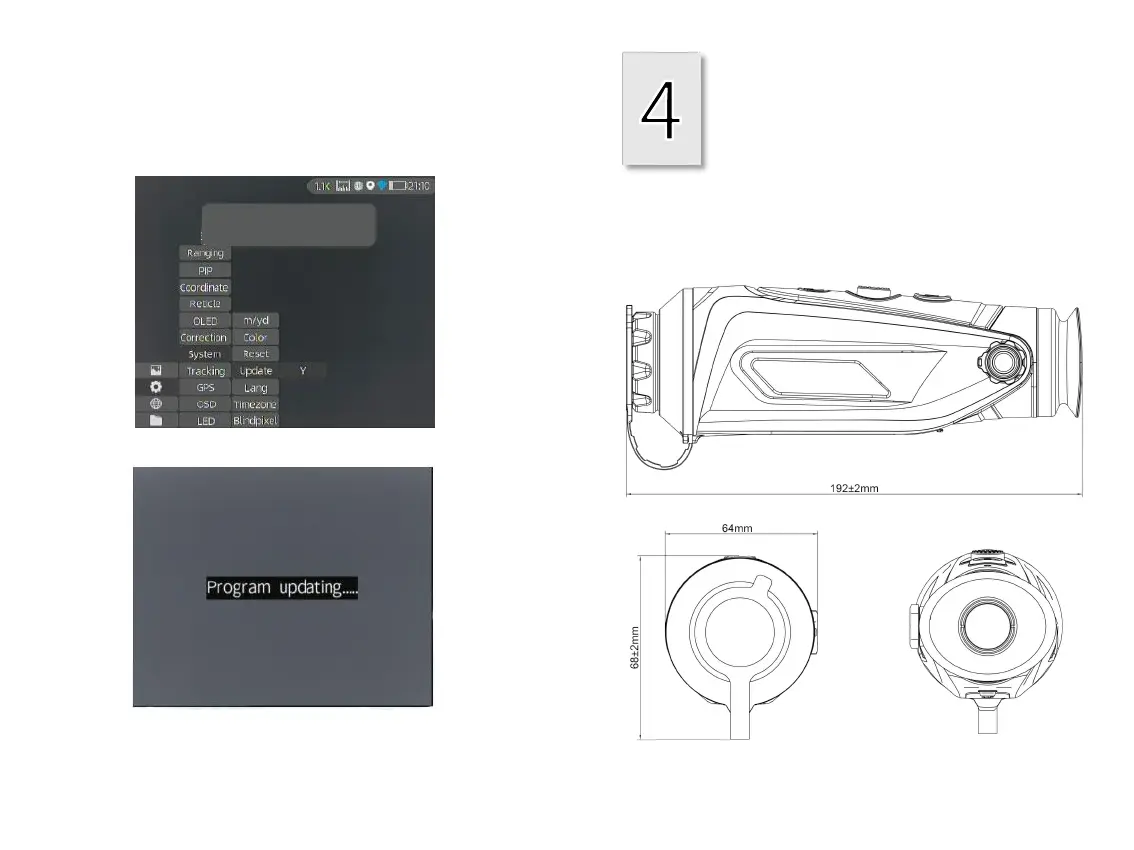
② Access the Setup menu and select Upgrade.
Technical Data
4.1 Dimensions
3.6 ②
3.6 ③
1. Before you update, make a backup
of your photos and videos.
2. Please keep the device fully charged.
3. It will restart after updates.
Cyclops
③ The system will prompt that upgrading is
in progress. When the upgrade succeeds, the
device will restart automatically.



 To Next Page