3.4.4 Network Connection
Press to enter the Network Connection
menu.
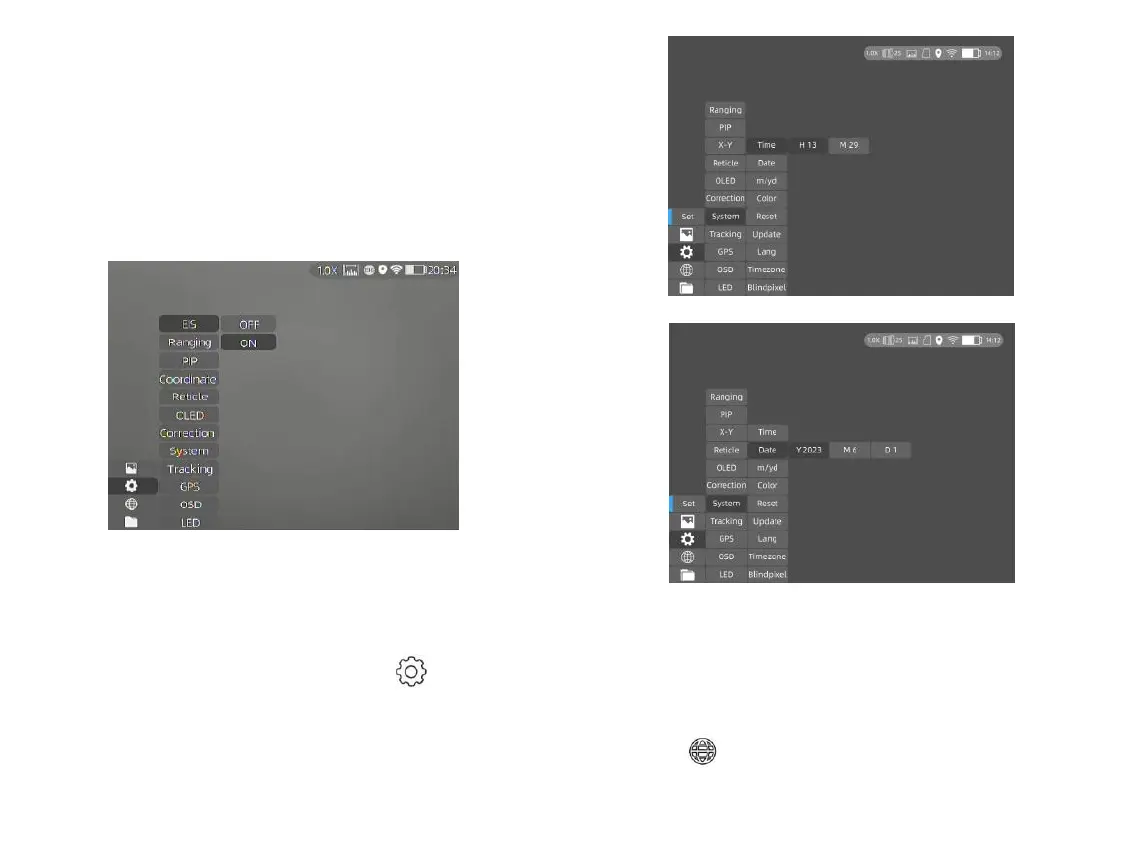
3.4.3 Date & Time Setting
Double press the joystick and press to enter
the System submenu, and press Time and Date to
set the time (hour and minute) and date (year,
month and day) respectively, as shown in the
below figures.
Notes: The date will be displayed on the
screen only when entering the Stand-by Mode.
EIS function: Turn on the EIS function to reduce
the impact of body shaking on the image and keep
the image stable when observing distant targets.
Notes: EIS function is applicable to Cyclops 6
series, Cyclops Pro series and Cyclops D series.
17



 To Next Page