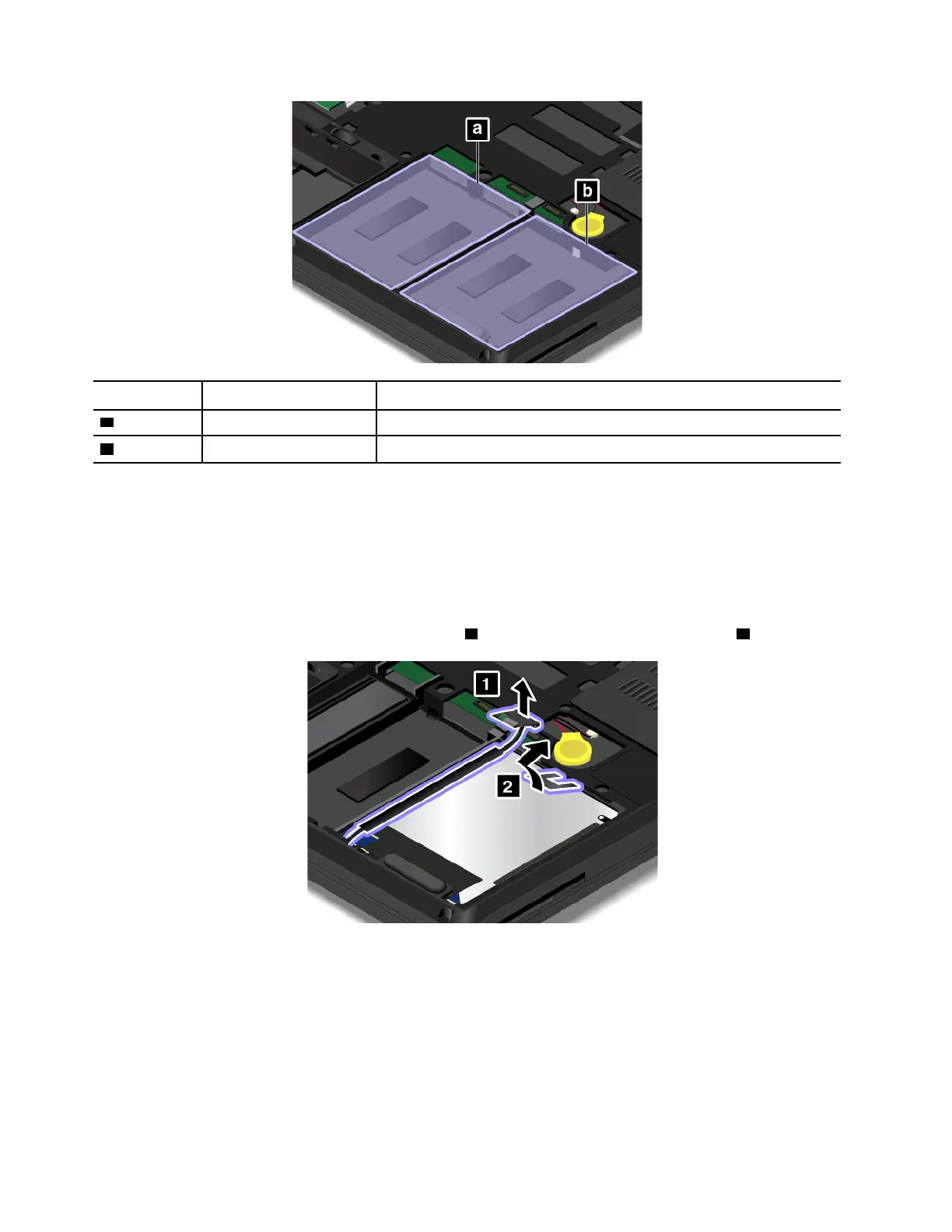
Slot Slot label on computer Corresponding menu selection in ThinkPad Setup
a
Slot 1
ATA HDD1
b Slot 0
ATA HDD0
To replace the hard disk drive, do the following:
1. Turn off the computer; then disconnect the ac power adapter and all cables from the computer. Wait
three to five minutes to let the computer cool.
2. Close the computer display and turn the computer over. Then remove the removable battery. See
“Replacing the removable battery ” on page 113.
3. Remove the bottom cover. See “Replacing the bottom cover” on page 116.
4. Disconnect the connector from the system board
1 , and then remove the hard disk drive 2 .
5. Detach the hard disk drive cable from the hard disk drive.
118
P50 User Guide



 To Next Page