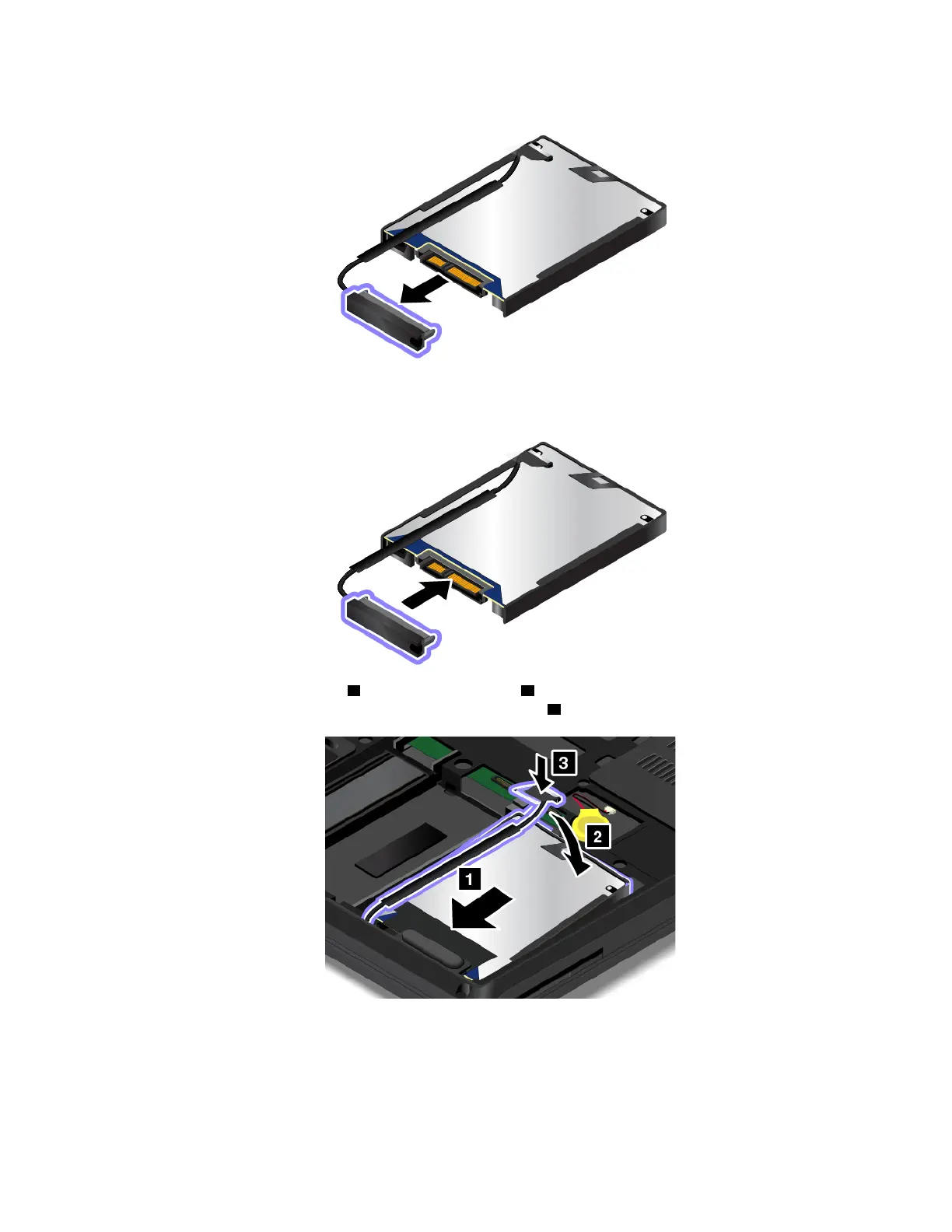
6. Attatch the hard disk drive cable to the new hard disk drive.
7. Insert the new hard disk drive 1 and pivot it downward 2 . Ensure that the new hard disk drive is seated
into place. Then, attach the connector to the system board
3 .
8. Reinstall the bottom cover. See “Replacing the bottom cover” on page 116.
9. Reinstall the removable battery. See “Replacing the removable battery ” on page 113.
10. Turn the computer over again. Connect the ac power adapter and all cables to the computer.
Chapter 9. Replacing devices 119



 To Next Page