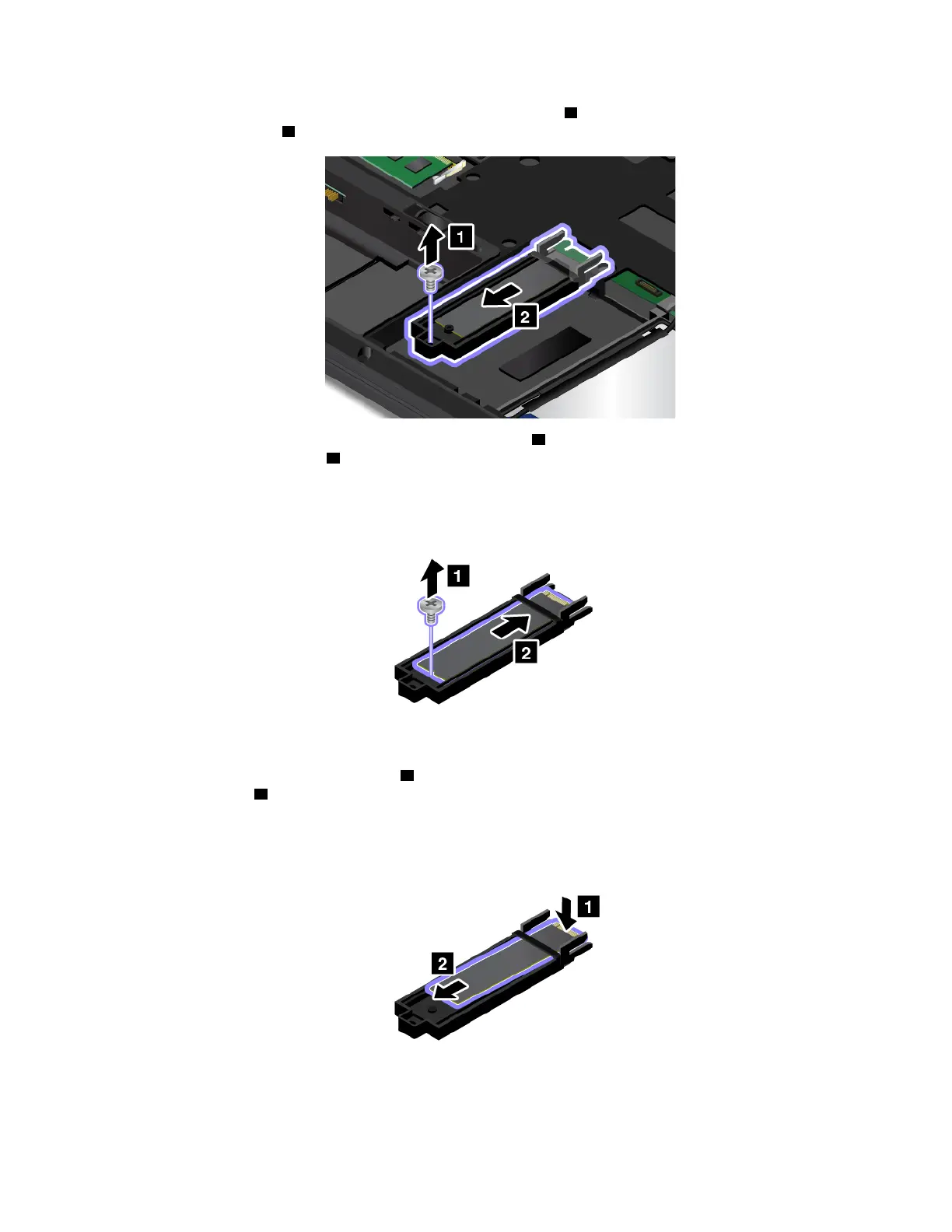
4. Remove the screw that secures the M.2 solid-state-drive tray 1 , and then pull out the tray with the M.2
solid-state drive out
2 .
5. Remove the screw that secures the M.2 solid-state drive 1 , and then push out the M.2 solid-state drive
slightly as shown by arrow
2 .
6. Press the M.2 solid-state drive gently 1 to pivot it up. Slide the M.2 solid-state drive out the tray as
shown by arrow
2 .
Chapter 9. Replacing devices 121



 To Next Page