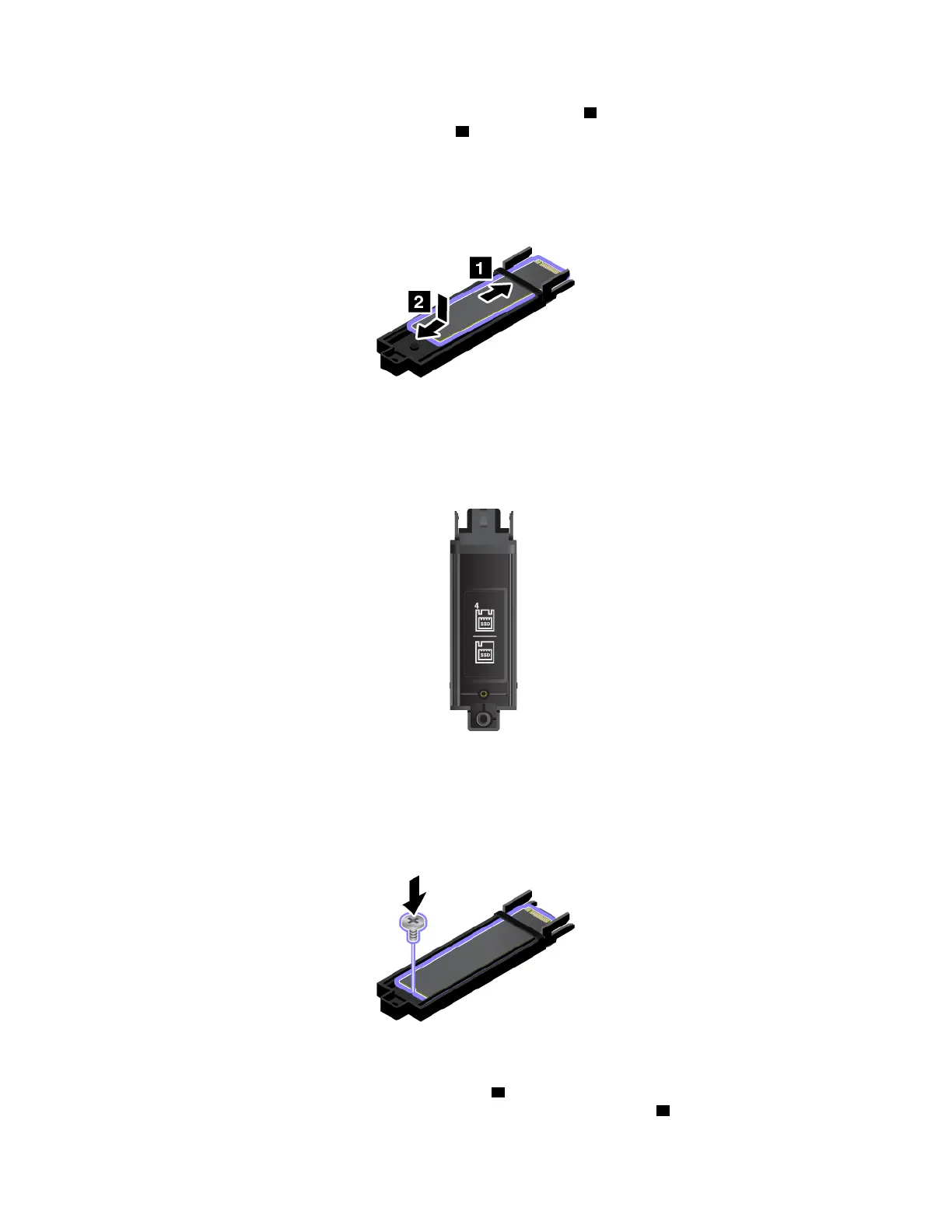
7. Slide the new M.2 solid-state drive into the tray as shown by arrow 1 . Then move the M.2 solid-state
drive slightly backward until it is fitted into place
2 .
Note: Ensure that you follow the identification mark on the tray to insert the M.2 solid-state drive.
8. Reinstall the screw to secure the M.2 solid-state drive to the tray.
9. Slide the tray with the M.2 solid-state drive into place 1 . If you install only one M.2 solid-state drive,
install it into the slot on the left, and then reinstall the screw to secure the tray
2 .
122
P50 User Guide



 To Next Page