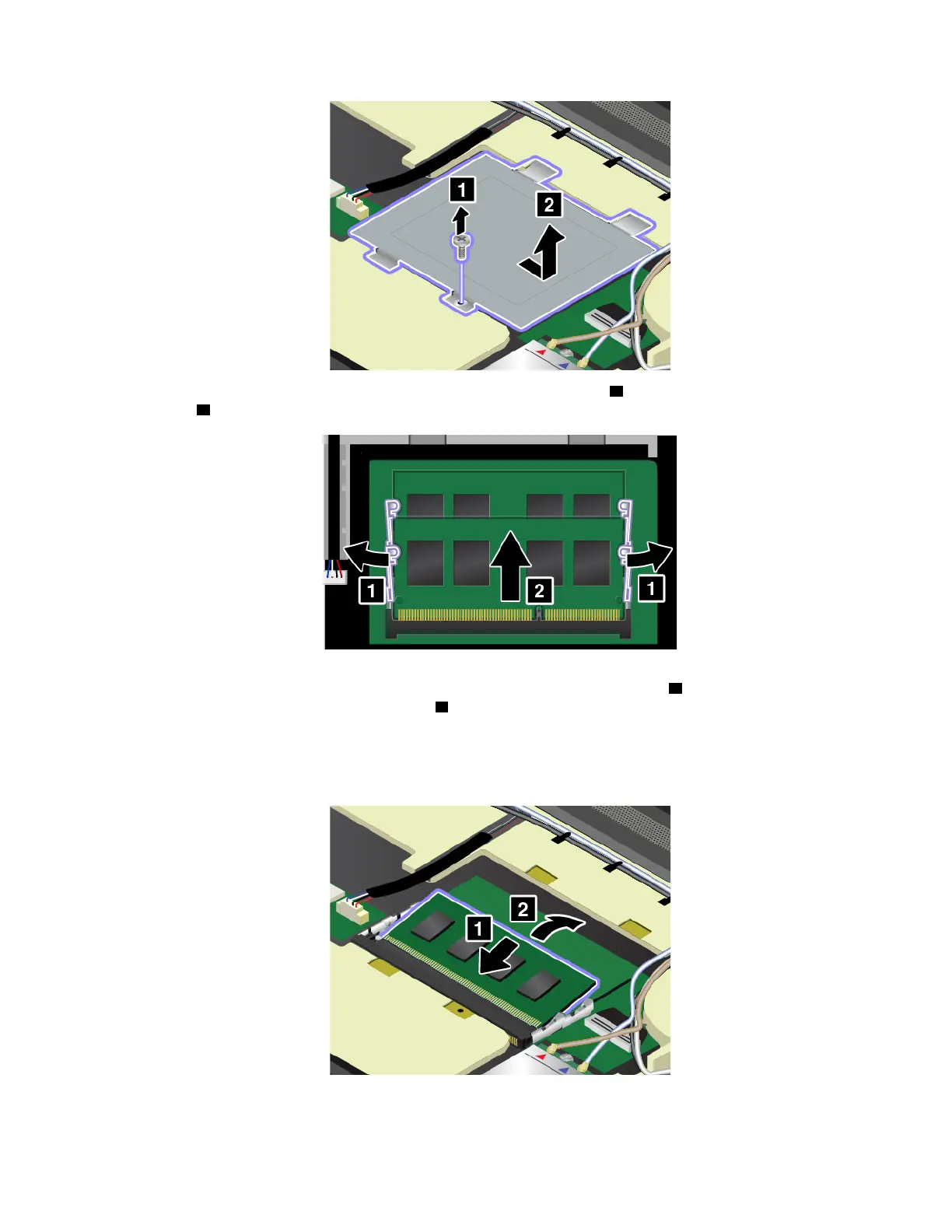
6. Open the latches on both sides of the memory slot at the same time 1 , and then remove the memory
module
2 .
7. Place the notched end of the new memory module toward the contact edge side of the memory slot.
Then insert the memory module into the slot at an angle of about 20 degrees
1 . Pivot the memory
module downward until it snaps into place
2 . Ensure that the memory module is firmly installed in the
slot and cannot be moved easily.
Attention: Do not touch the contact edge of the memory module. Otherwise the memory module might
get damaged.
Chapter 9. Replacing devices 133



 To Next Page