EasyManua.ls Logo

Third Dimension GapGun MX+ - Page 19

Default Icon
40 pages
Print Icon
To Next Page IconTo Next Page
To Previous Page IconTo Previous Page
Loading...
GapGun MX+/SPC3d6 Connectivity Guide
© Third Dimension Confidential Document D11-678 Page 14
SPC3d6.0
WI-FI CONNECTIONS
Once the waist pack is connected the Blue LED on the waist
pack will start flashing and the 100M/b Green LED will be
illuminated.
Note: This WEP key entry will only have to be done once. Your
PC will save the connection.
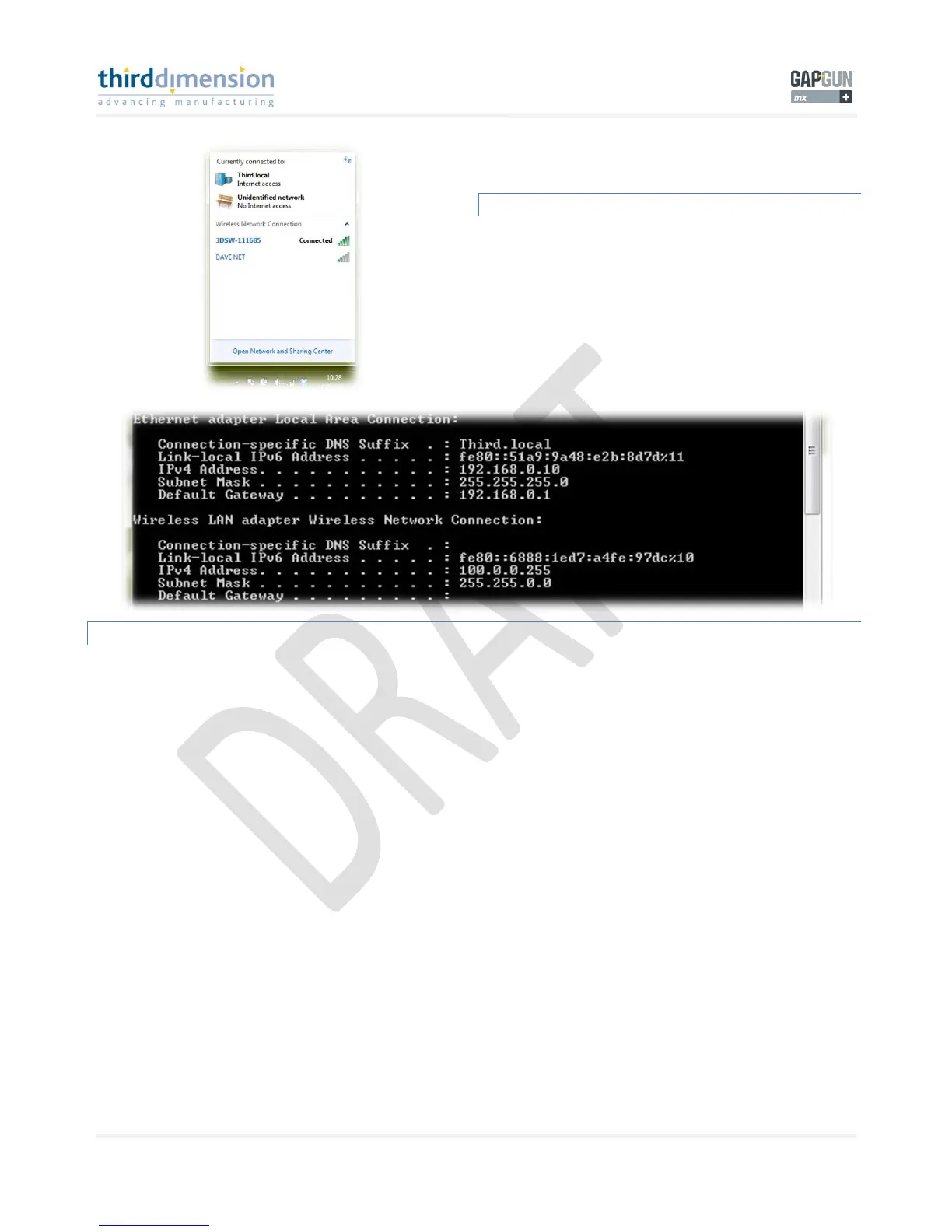
YOUR PC WIRELESS LAN NETWORK SETTINGS
You can check your wireless settings via a DOS prompt by typing ‘ipconfig’. Here you can see the settings are the same as
TCP/IPv4 window.
Please see ‘Ping’ page 33 for details on GapGun Ping function.
Also please see D11-655 ‘GapGun MX+ Administrator Guide’.

Related product manuals