EasyManua.ls Logo

Third Dimension GapGun MX+ - 9 Calibration File; Calibration File Error

Default Icon
40 pages
Print Icon
To Next Page IconTo Next Page
To Previous Page IconTo Previous Page
Loading...
GapGun MX+/SPC3d6 Connectivity Guide
© Third Dimension Confidential Document D11-678 Page 30
SPC3d6.0
9 CALIBRATION FILE
USB FORMAT
Your GapGun MX+ needs a calibration file unique to the
measurement head you have. The calibration file is on your
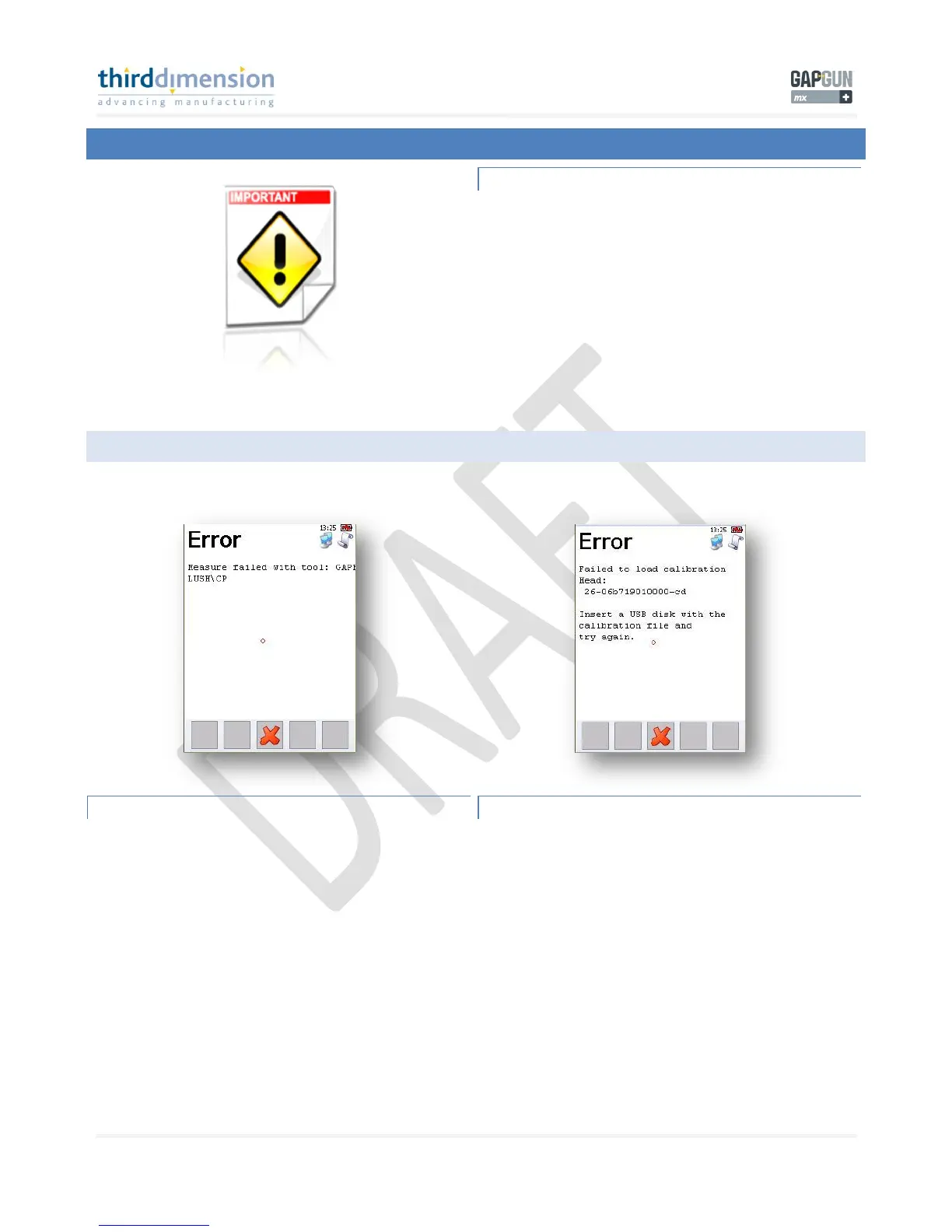
GapGun USB device. If you try to measure without a
calibration file you will see the following screens on the
GapGun MX+ handle. Third Dimension recommends using the
supplied USB device for data transfer to and from the GapGun
MX+ handle.
The GapGun MX+ can only use USB devices formatted as FAT,
it cannot use NTFS format USB devices.

9.1 CALIBRATION FILE ERR OR
MEASUREMENT FAILED
If you try to measure without a cal file this screen will appear.
FAILED TO LOAD CALIBRATION FILE
Your GapGun MX+ needs a calibration file.

Related product manuals