GapGun MX+/SPC3d6 Connectivity Guide
© Third Dimension Confidential Document D11-678 Page 3
SPC3d6.0
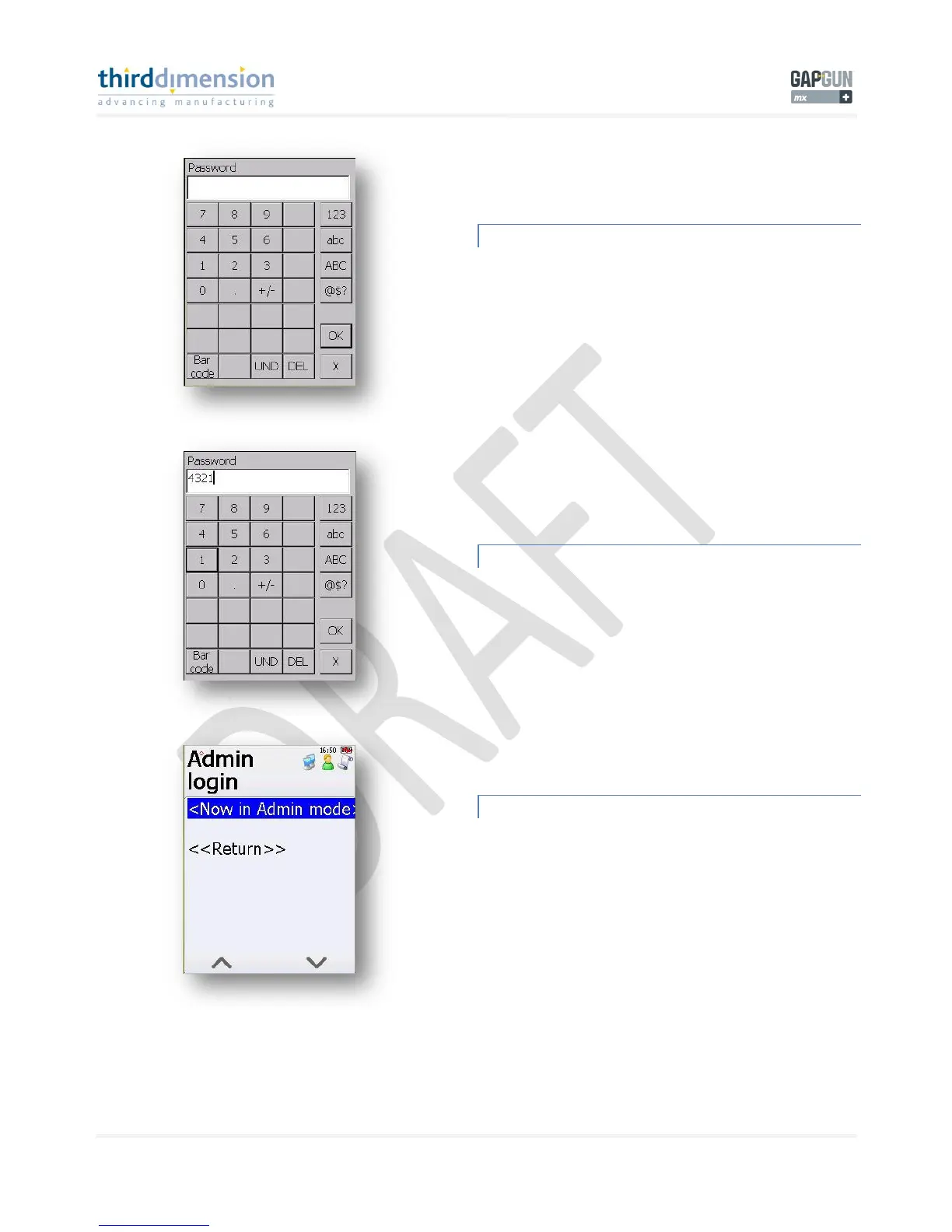
ADMINISTRATOR PASSWORD REQUIRED
To enter the Administrator Mode you are required to enter a
password. This password id not to be disclosed to the
operators as any changes made within Admin Mode will affect
the operation of the GapGun MX+.
ADMINISTRATOR PASSWORD ENTRY
Enter the digits 4 3 2 1 and then tap ‘OK’.
NOW IN ADMIN MODE
Notice how the screen is now a darker grey colour. This is an
indication that you are in Admin Mode. During all your time in
Admin mode the screen will be a darker grey. Once you exit
Admin Mode the screen will return to its lighter colour.
Tap ‘Now in Admin mode’ to continue.



 To Next Page