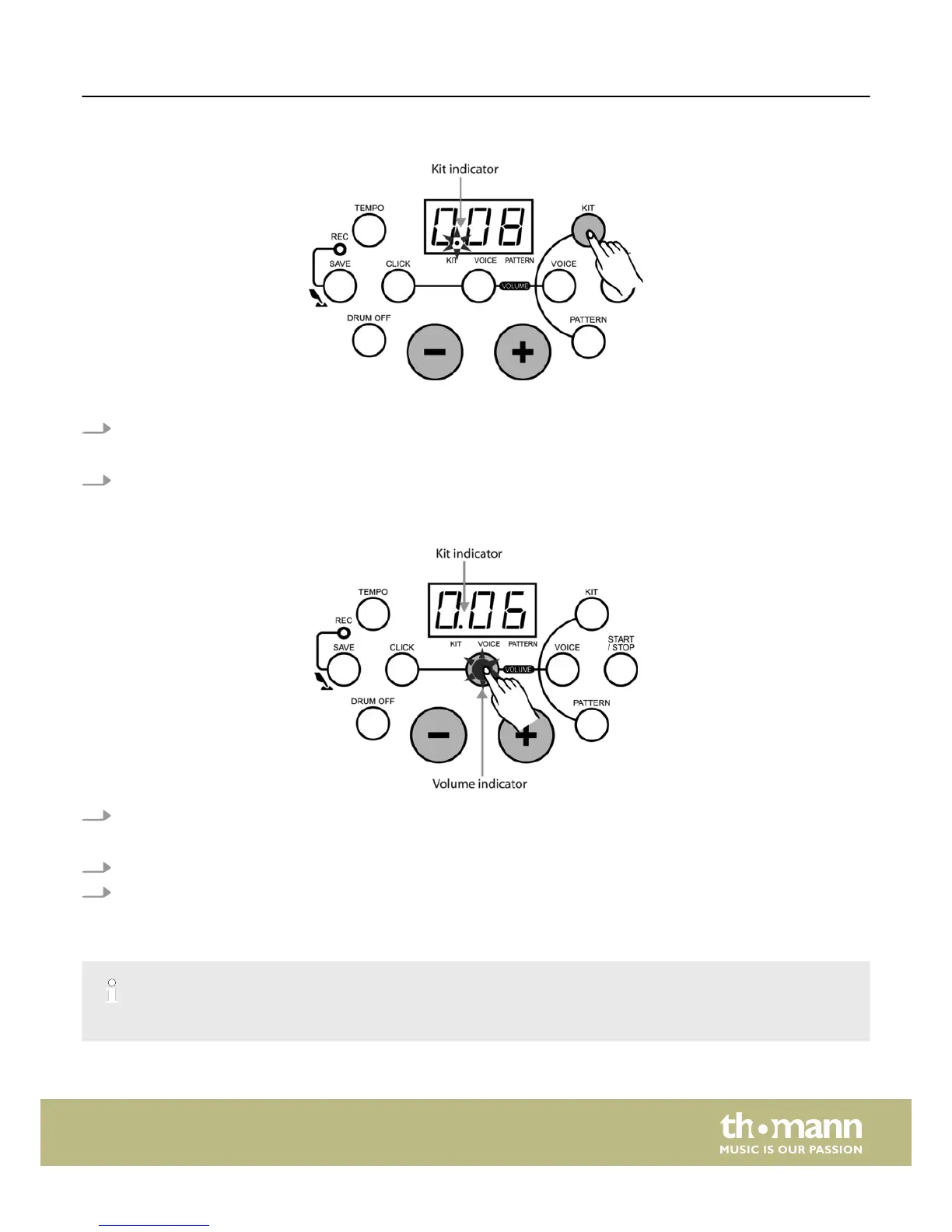
Selecting a drum kit
The unit comes with 10 (001-010) preset drum kits and 5 user kits (011-015).
1. Press the [KIT] button to enter KIT selecting mode.
ð
The LED display shows the current ‘Kit number’ and the ‘KIT’ indicator lights up.
2. Press the [+/–] buttons to activate one of the drum kits (001-015).
Adjusting the kit volume
1. In KIT selecting mode, press the [VOLUME] button to enter volume adjusting mode.
ð
The volume indicator lights up and the LED display shows the current kit volume value.
2. Adjust its value (0 to 16) by pressing the [+/–] buttons.
3. Then press the [KIT] button again to return to the KIT selecting mode.
ð
The volume indicator goes out.
Please note that in recording waiting mode, the KIT volume value can be shown on the display but it can not be adjusted.
Functions
HD-100
17














 To Next Page