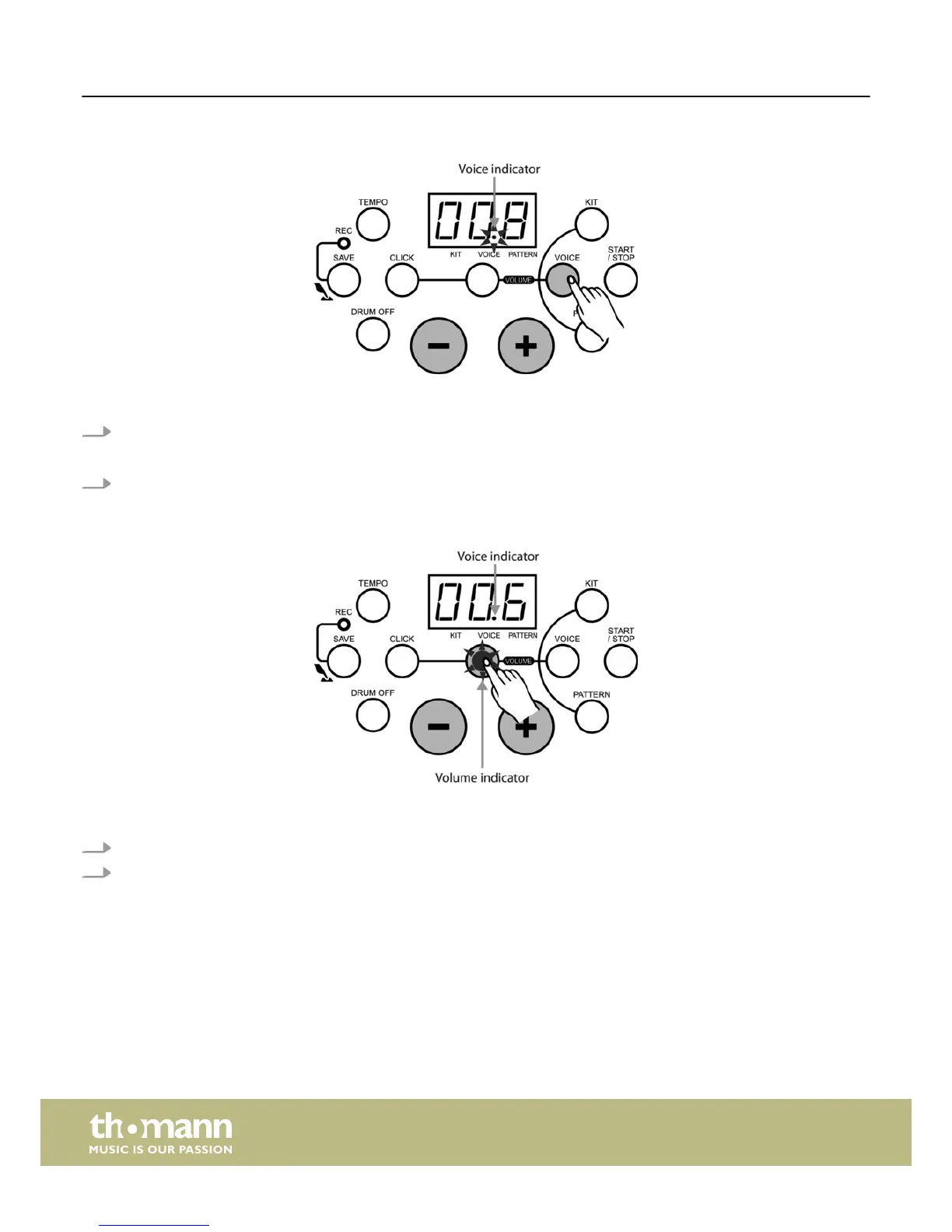
Selecting a pad voice
The drum module provides 108 built-in drum voices in total to choose from.
1. Press the [VOICE] button to enter pad voice selecting mode.
ð
The LED displays the current pad voice number and the ‘VOICE’ indicator lights up.
2. In pad voice selecting mode, press [+/–] buttons to choose the voice of the current pad or cymbal (1-108).
Adjusting the pad volume
In voice selecting mode, press the [VOLUME] button to enter pad volume adjusting mode. Then the ‘VOLUME’ indicator lights up
and the LED display shows the current pad volume value.
1. Press the [+/–] buttons to adjust its value (0-16).
2. Press the [VOICE] button again to enter voice selecting mode.
Functions
e-drum set
18














 To Next Page