1 - PROGRAMMING
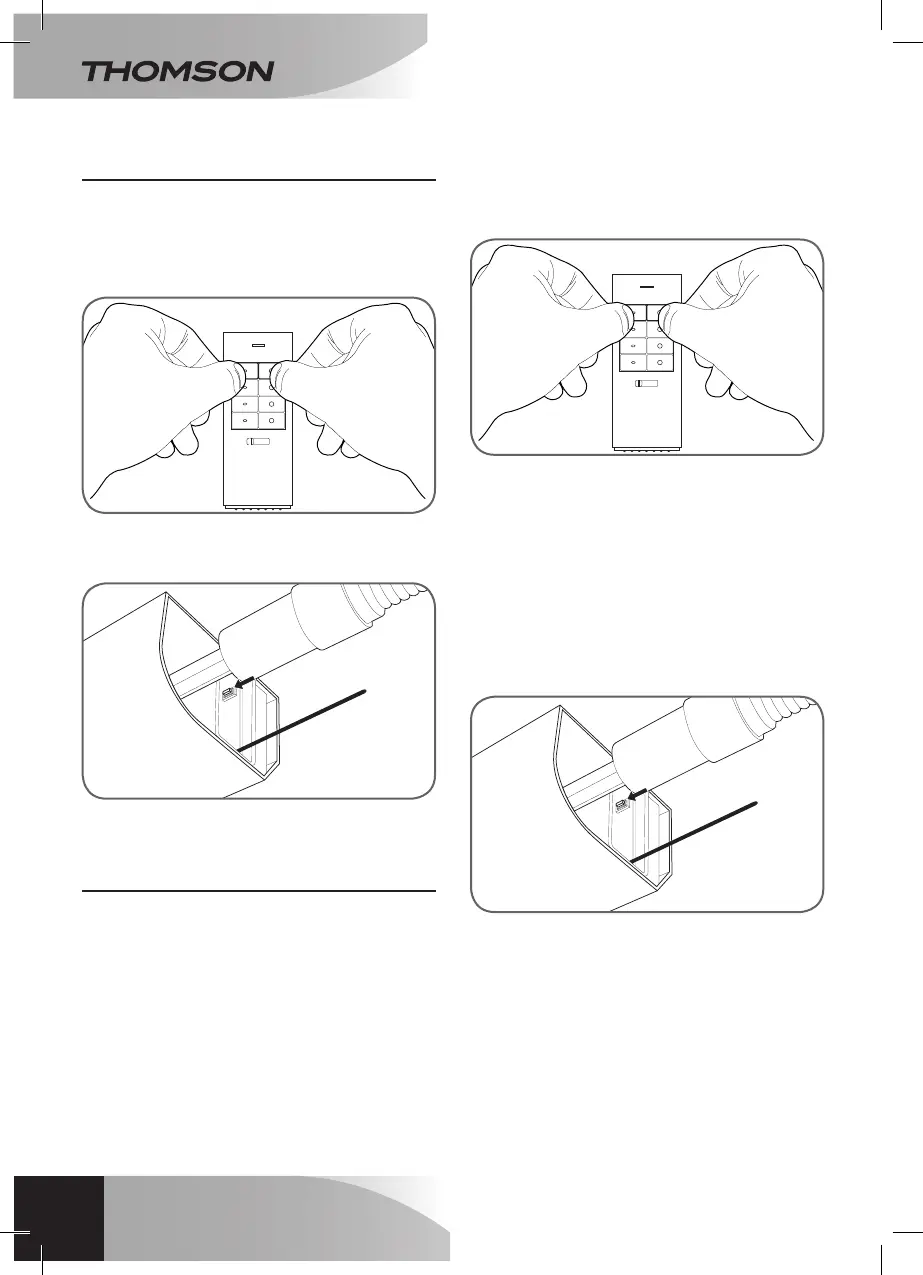
Topairtheremotecontrol:
• Ontheremotecontrol,presssimultaneously
for3secondestheoffkeysofchannelyou
wanttouse(1to3).Theindicatoronthe
remotecontrolashesred.
• Whiletheindicatorashesontheremote
control,pressthepairingbuttonforatleast3
seconds.Thepairingiscomplete.
2 - PROGRAMMING WITH OTHER
ACCESSORIES OF THE RANGE THOMSON
MAISON CONNECTÉE
Eachelementcanbepairedwithotherdevices
oftherangeThomsonmaisonconnectée:
wallremotecontrol,lampsocketwithremote
control,universalrelayformotors,Thombox...
•Topairtheremotecontrolwithanotherdevice,
presssimultaneouslyfor3secondstheon/
offkeysofthechannelyouwanttouse.The
indicatorontheremotecontrolashesred.
• Thenplacethedeviceinpairingmode.Refer
totheusermanual.
Note:Youcanpairupto5devicesperchannel.
Topairthegearmotorwithanotherdevice,referto
theusermanualofthedeviceyouwanttopairwith
yourproduct.
Duringthepairing,youwillbepromptedtoplace
thegearinassociationmode:
• Whenyouarepromptedtoplacethegear
motorinpairingmode,pressthepairing
buttonforatleast3seconds.
EN
26
E - CONFIGURATION
MOTORISED KIT WITH ARTICULATED ARMS
FOR SINGLE OR DOUBLE LEAF SHUTTERS


 To Next Page