Chapter 1: Connections and Setup
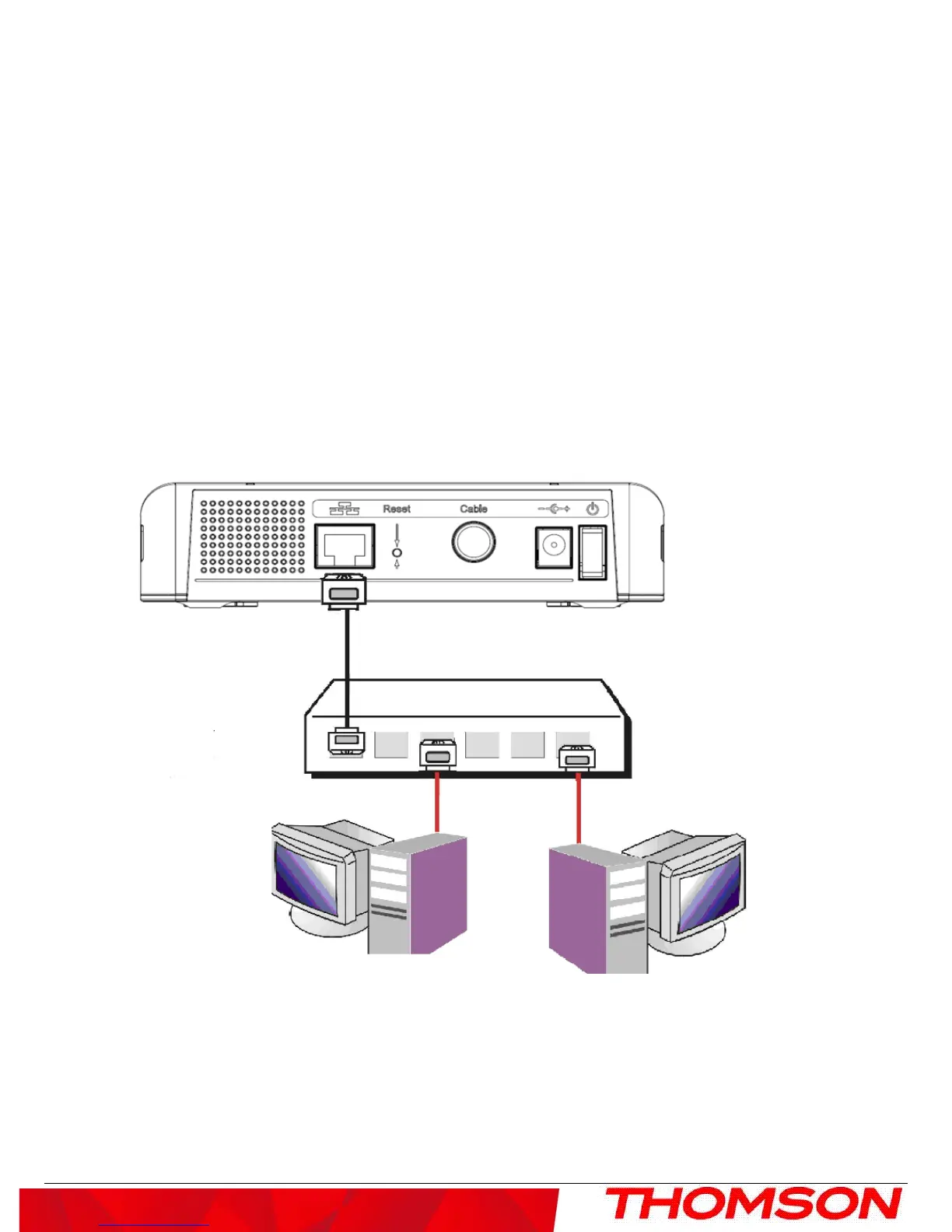
Connecting More Than Two Computers to the Cable Modem
If you need to connect two or more computers, you’ll need the following additional equipment (if supported by
your cable operator):
• Crossover-wired, or “null,” category 5 Ethernet cable for the cable modem to be connected to the hub
• 10/100/1000BaseT Hub or Switch
• Straight through, or standard, category 5 Ethernet cable (one for each computer to be connected)
If you have a hub with an uplink port, a straight through cable can be used in combination with that port in lieu of
the crossover cable.
An uplink port has a small switch on it to change the polarity of the connection. It can accept either a crossover or
a straight cable, depending on the setting.
Fig. 3
Note: You may need to check with your service provider in order to connect multiple computers.
10



 To Next Page