Chapter 1: Connections and Setup
Reset Button behavior
a) Push and hold the button between 0 and 5 seconds Æ Reboot the device
b) Between 6 and 10 seconds Æ Display the channel bonding status for DS and US
Note: This is the same as the above Channel Bonding display after the registration
c) After 11 seconds Æ Perform the factory reset (This operation should only be performed upon your
Cable-Operator’s request)
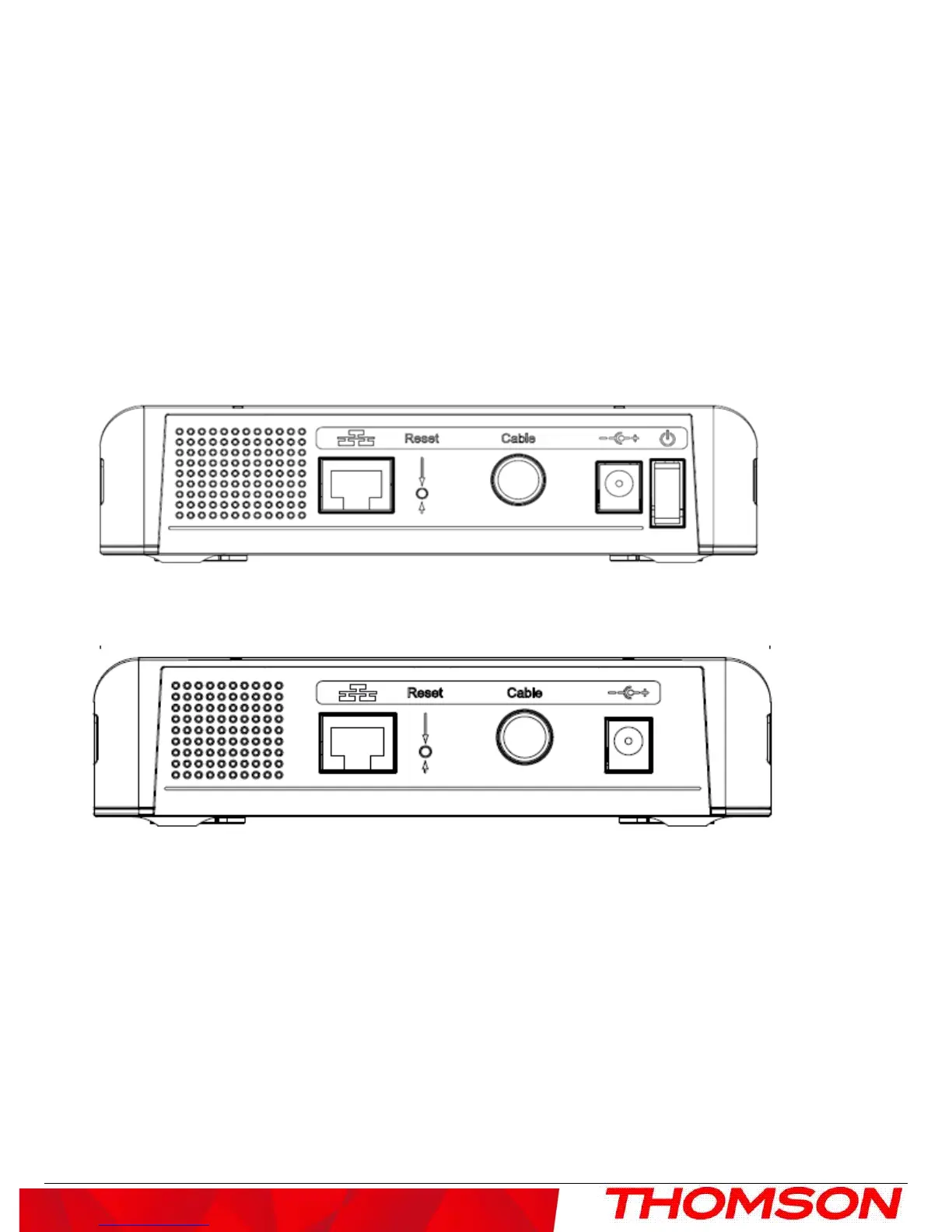
Rear Panel
TCM470
:
DCM475
z GIGA ETHERNET: Ethernet 10/100/1000BaseT RJ-45 connector
z RESET: Reset CM
z CABLE: F-Connector
z 12VDC: AC power socket
z on/off button: Power on/off switch ( TCM470 only )
4



 To Next Page