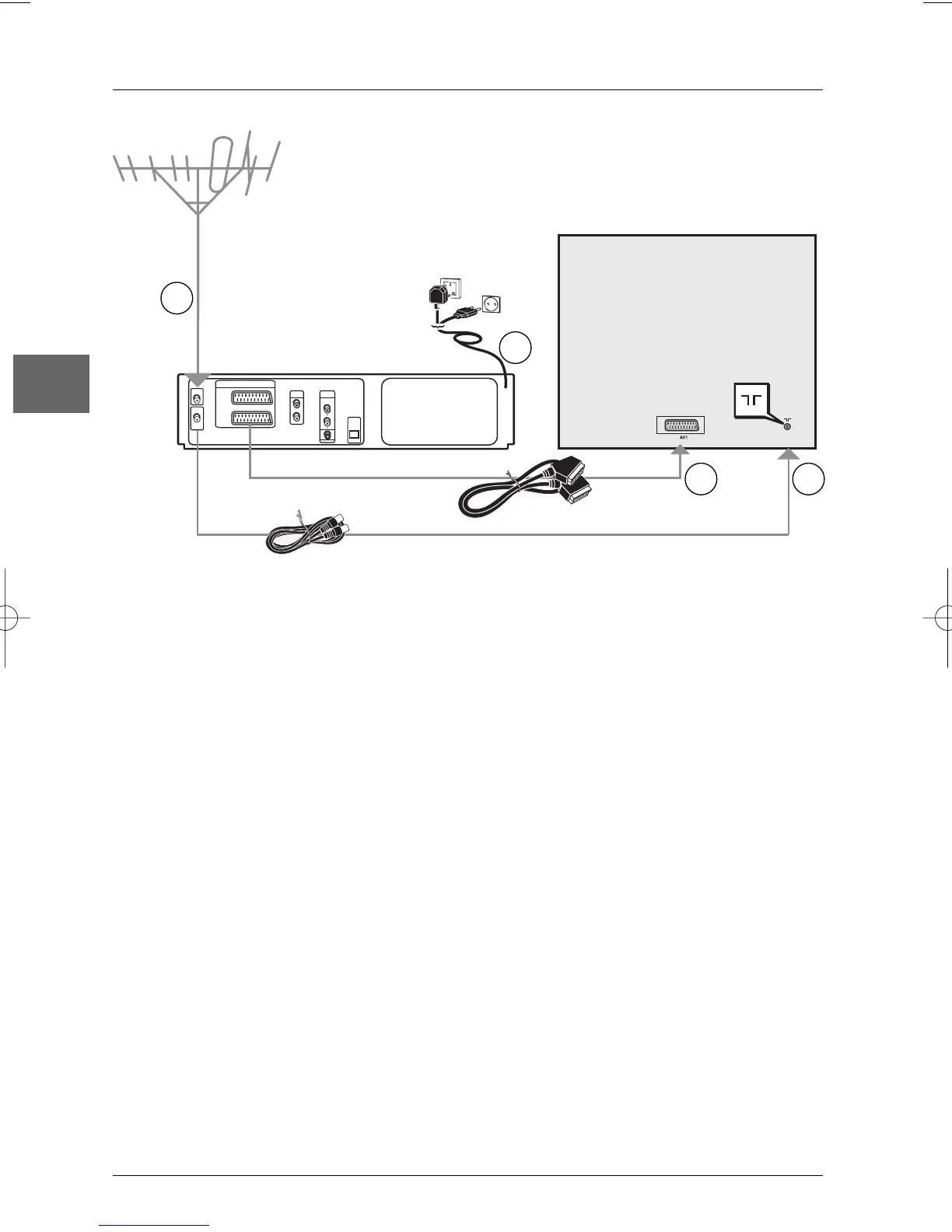
Basic connections (DVD/VCR + TV)
1. Disconnect the aerial cable from your television set and reconnect it to the AERIAL socket
of the DVD/VCR.
2. Using the coaxial cable supplied, connect the RF OUT socket of the DVD/VCR to the aerial
socket of the television set.
3. A Scart lead connection between the appliance and your television set makes it easier to use
and improves picture and sound quality. Connect the DVD/VCR’s Scart socket (EURO AV1
AUDIO/VIDEO) to the television set’s Scart socket (AV1, EXT1, AUX1, according to the
make) using the Scart lead (provided).
4. Connect the DVD/VCR to the mains socket using the mains lead.
Basic connections (DVD/VCR + TV + satellite or cable receiver)
1. Connect the DVD/VCR to the television set as described above (step 1 to 3).
2. Connect the satellite or cable receiver scart socket to the DVD/VCR’s second Scart socket
(EURO AV2 DECODER) using a Scart lead (not provided).
3. Connect the DVD/VCR to the mains socket using the mains lead.
Note: If one of the devices is not working, check that all the cables have been inserted properly into the
sockets which they should be connected to.
Other connection options
The basic connections (described above) are for standard-quality sound and high-quality picture
reproduction. There are other connection options available, which can produce pictures and
sound of better or poorer quality:
2
1
3
Television
set
United Kingdom,
Ireland
Continental
Europe
4
DVD/VCR


 To Next Page