E-DOC-CTC-20060911-0081 v1.0
Chapter 2
Basic Installation
13
Configuring the Thomson Gateway (and your computer)
Proceed as follows:
1 Depending on the selected service profile and your ISP’s requirements, you may have to fill in some
additional settings during the Home Install Wizard, like Dynamic DNS Service, Time Configuration, VoIP
or other.
Enter the information provided by your ISP and click Next whenever requested.
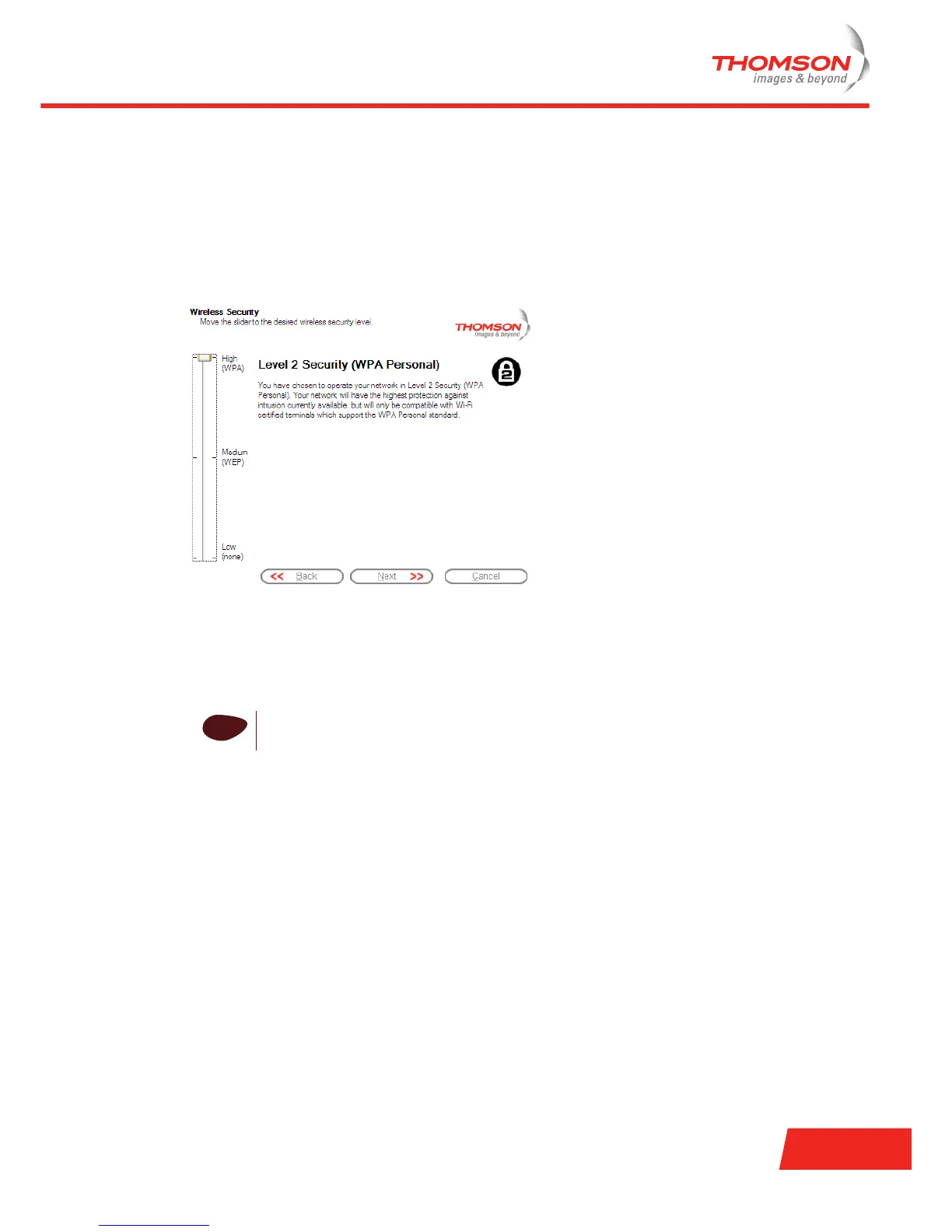
2 To protect the wireless connections to your Thomson ST, move the slide control to the desired security
mode.
The following security modes to secure traffic between the Thomson Gateway and connected wireless
stations are available:
Low, which implies in fact that no security measures are taken at all.
Medium, implying that traffic is encrypted by means of a static encryption key (WEP).
High, providing the highest security standard available (WPA) for encrypting all wireless traffic.
i
For an overview of all Thomson Gateway wireless security features, see “ Securing your
wireless network” on page 29.



 To Next Page