42 FAQs and keyboard shortcuts
The amount of scrolling represented by this single key icon is equivalent
to clicking the key multiple times. If you run a script that contains one of
these keys, TI-SmartView™ reproduces the equivalent number of key
presses.
Using the computer keyboard
You can use the computer keyboard to enter data into the
TI-SmartView™ software. However, the keyboard does not work the
same as using the TI Keyboard with a calculator. You cannot simply use
the keys like a QWERTY keyboard to type A through Z. By default, the
keys are shortcuts to a corresponding key on the calculator.
Note: You can use the keyboard to access second functions and alpha
characters, but you must use y and ƒ the same as you would on
the calculator.
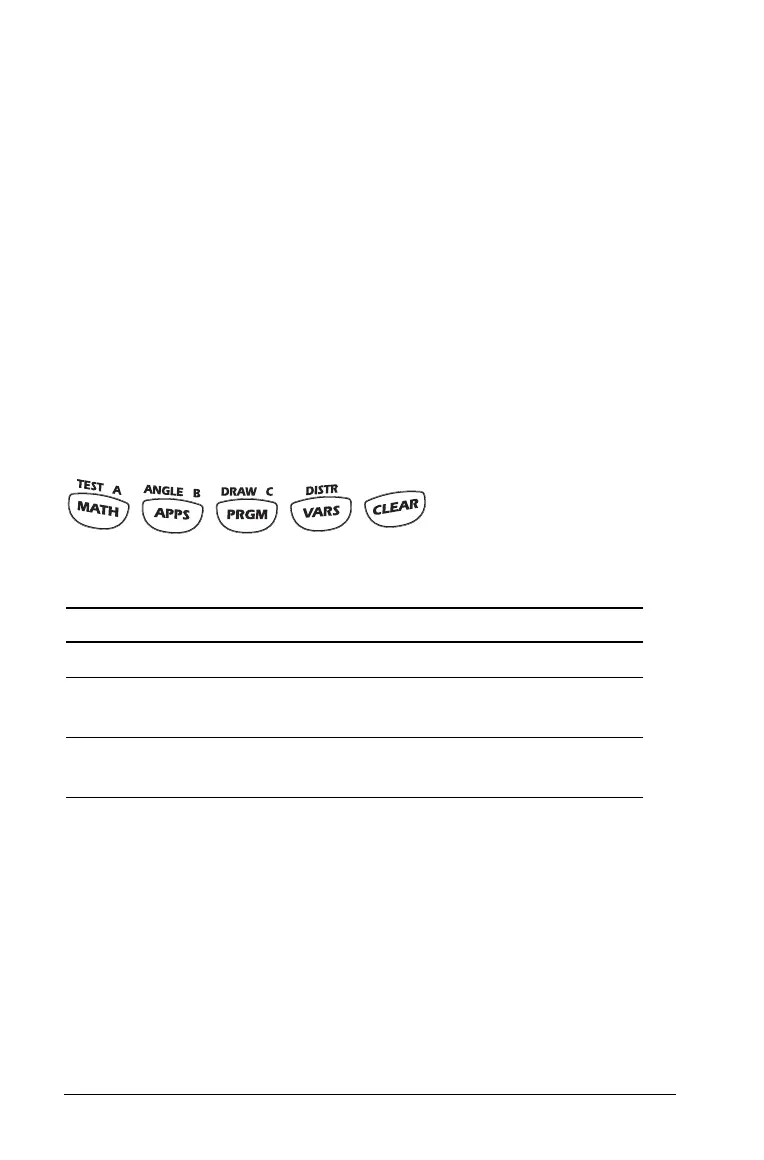
Where possible, shortcut keys correspond to alpha characters on the
calculator. For example, the calculator has keys such as:
where labels above the keys indicate second functions and alpha
characters.
Keys such as and u do not have associated alpha characters.
Refer to the table later in this topic to find the shortcut to those keys. For
example,
[Shift]+[V] is the shortcut to .
On the keyboard, press: To do this:
[A]
Shortcut to .
[F6] A,
where
[F6] is the shortcut to y
Show the TEST menu.
[F7] A,
where
[F7] is the shortcut to ƒ
Type the letter A.



 To Next Page