2 Getting started
Overview of TI-SmartView
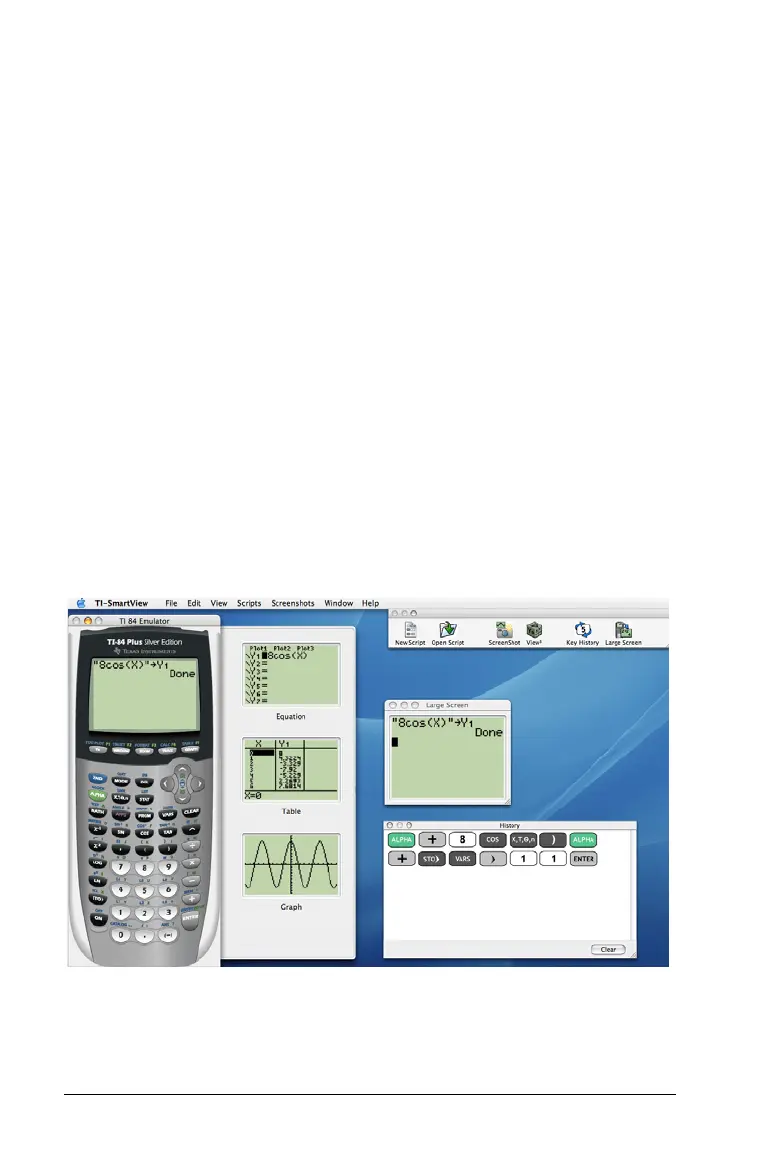
The TI-SmartView™ software gives you a TI-84 Plus calculator on your
computer. The entire functionality of the TI-84 Plus is at your disposal,
including the ability to load and use calculator files such as applications
(Apps), lists, matrices, programs, and so on. The Apps that come already
loaded on the TI-84 Plus Silver Edition are also included with
TI-SmartView™.
TI-SmartView™ lets you show the TI-84 Plus to an audience without using
calculator-specific projection equipment and gives you additional
functionality that aids in presentations and demonstrations.
• Supplement the current TI-84 Plus screen by using the View
3
™ pane
to show three extra screens simultaneously. You can select any three
of the following calculator screens: Y= editor, table, graph, stat plot,
list, and window.
• Repeat demonstrations quickly and easily by using scripts to play
back a series of keystrokes.
• View the history of your calculator entries, any open scripts, and a
large version of the current calculator screen.
• Capture screen images that you can save and use in other
documents.



 To Next Page