9
Interface Introduction & Parameter Descriptions
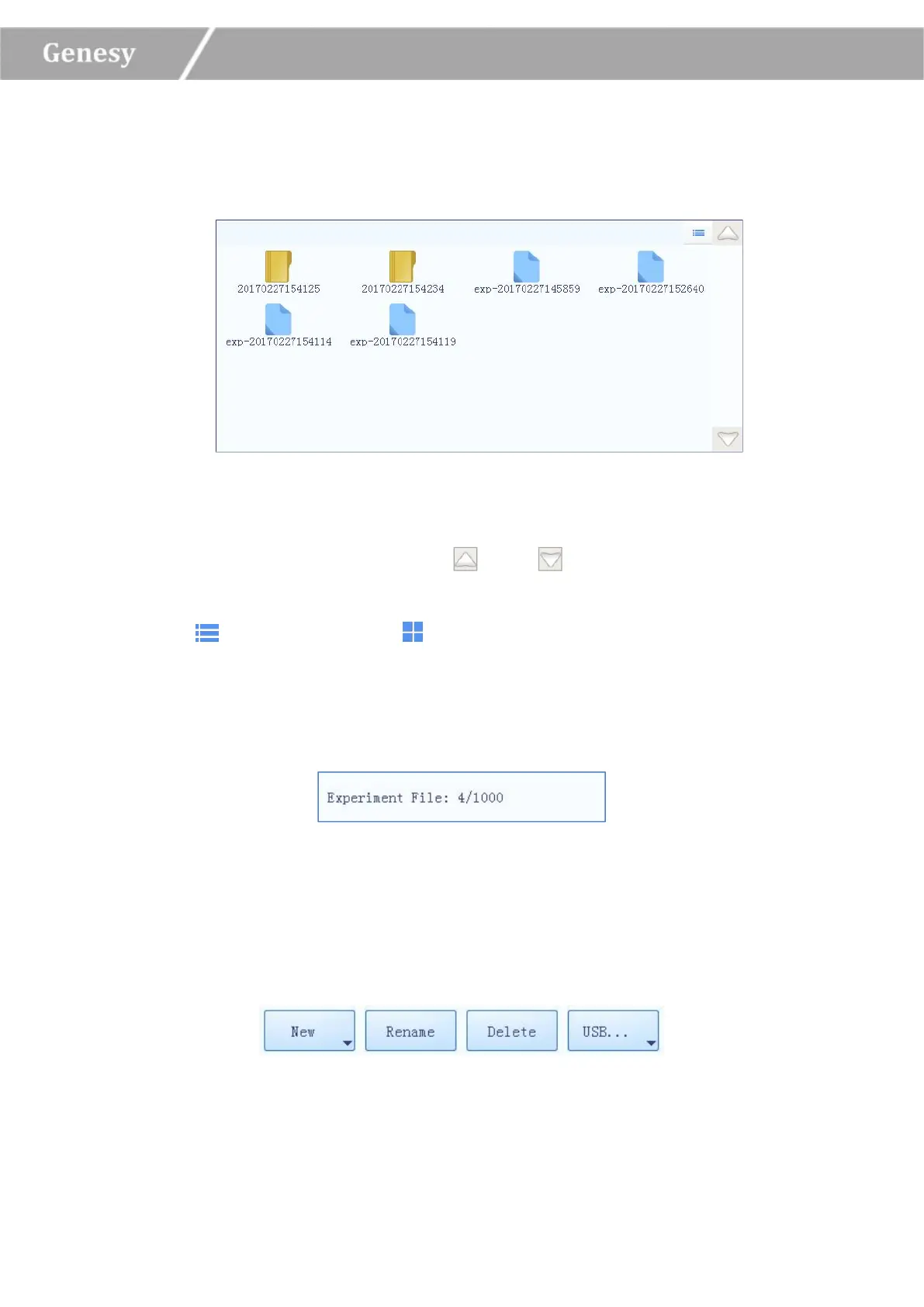
1. Experiment File Displaying Area: display the pre-existed experiment files or file folders
within the instrument system, as shown in figure 3-2-1.
Figure 3-2-1 Experiment File Displaying Area
► Users could slide the slider or press the and icons to view all the experiment
files or file folders;
► Press icon, it will turn into icon, and the display mode of the experiment file
displaying area will be converted from file icons to file list.
2. Experiment File Information Area: display the pre-existed experiment quantity within
the instrument system, as shown in figure 3-2-2.
Figure 3-2-2 Experiment File Information Area
3. Experiment File Operation Area: includes New, Rename, Delete and USB… four
operation keys, as shown in figure 3-2-3.
Figure 3-2-3 Experiment File Operation Area


 To Next Page