24
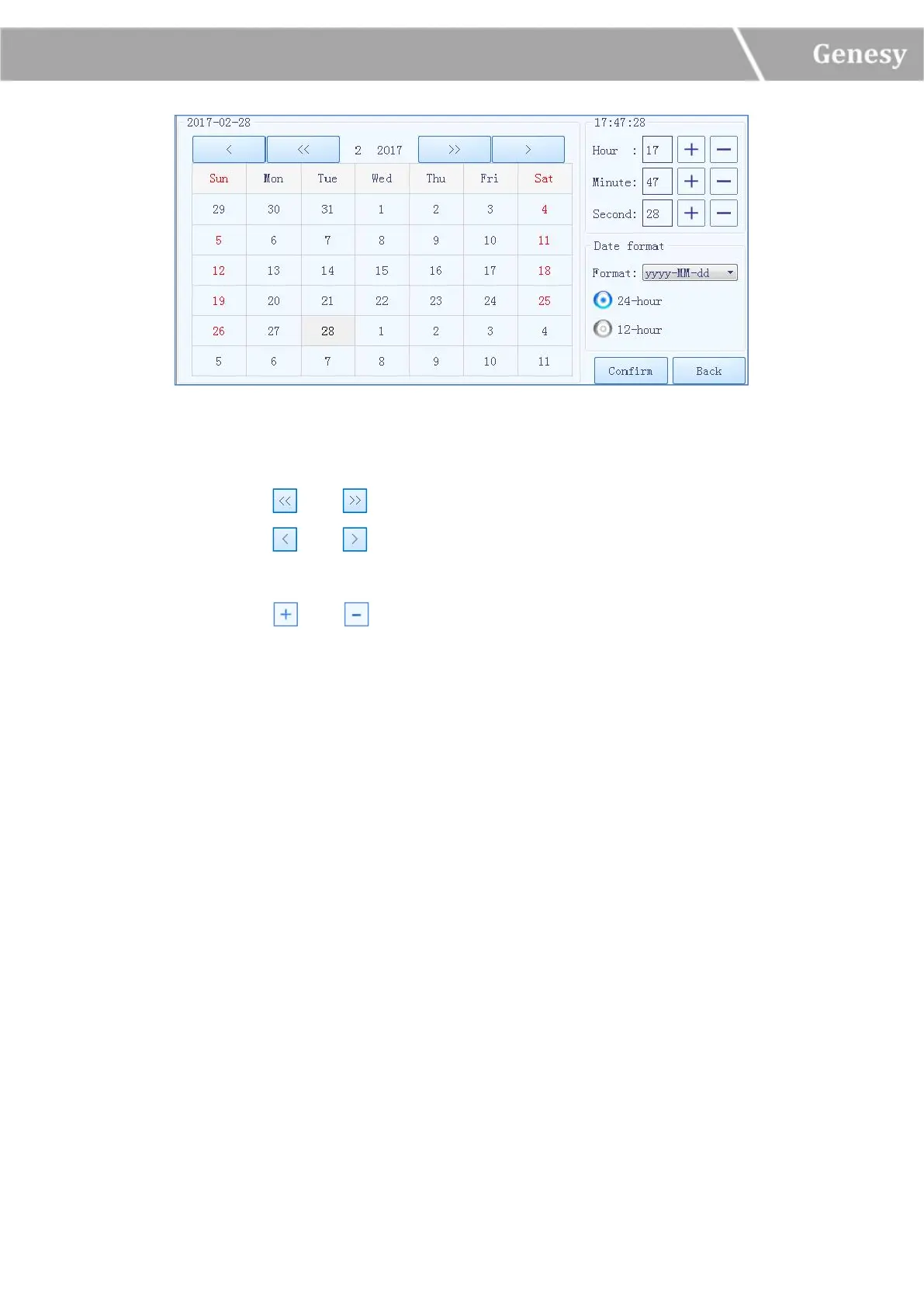
Figure 3-4-7 Date/Time Setting Window
Users could press and icons to set the displayed year.
Users could press and icons to set the displayed month.
Users could set the displayed date on the calendar.
Users could press and icons to set the displayed time, including Hour, Minute and
Second.
Users could set the displayed date format in the pull down menu of Format.
Users could press 24-hour or 12-hour to select the displayed time format.
Users could press < Confirm > to confirm the current date and time setting.
Users could press < Back > to quit setting and turn back to the instrument tab.
► Language Setting: users could set the instrument system language, the two options
provided are English and Simplified Chinese.
3) Service Sub-tab: as shown in figure 3-4-8.


 To Next Page