11
Turn it back on
BASIC OPERATION
Power
You can control all the functions on the main unit or remote control after connecting to power supply (called
Standby Mode).
Turning the system On
Press the button to turn the system on from standby mode.
Note: The set will switch to last selected source.
Turning the system Off
Press the button on main unit or press and hold the button on remote control to turn the system off and
go to Eco mode.
Note: Be sure to unplug the power cord from the outlet when the system is not in use for an extended period
of time.
Set the clock
The built-in clock shows the correct time in the display panel.
1. In standby mode, press and hold the CLOCK button to activate the clock setting mode, hour indicator will
blink.
2. Set the hour with the button or
button.
3. Press CLOCK button to con rm, minute indicator will blink.
4. Set the minute with the button or
button.
5. Press the CLOCK button to con rm, the built- in clock starts operating and the seconds start counting
from 0.
Play iPod/iPhone/iPad
Compatible with: iPod Touch (5th generation), iPod Nano (7th generation), iPhone 5, iPhone 5C, iPhone 5S,
iPad (4th generation), iPad Mini, iPad Mini with retina display, iPad Air.
You can listen to audio from iPod/iPhone/iPad on this unit.
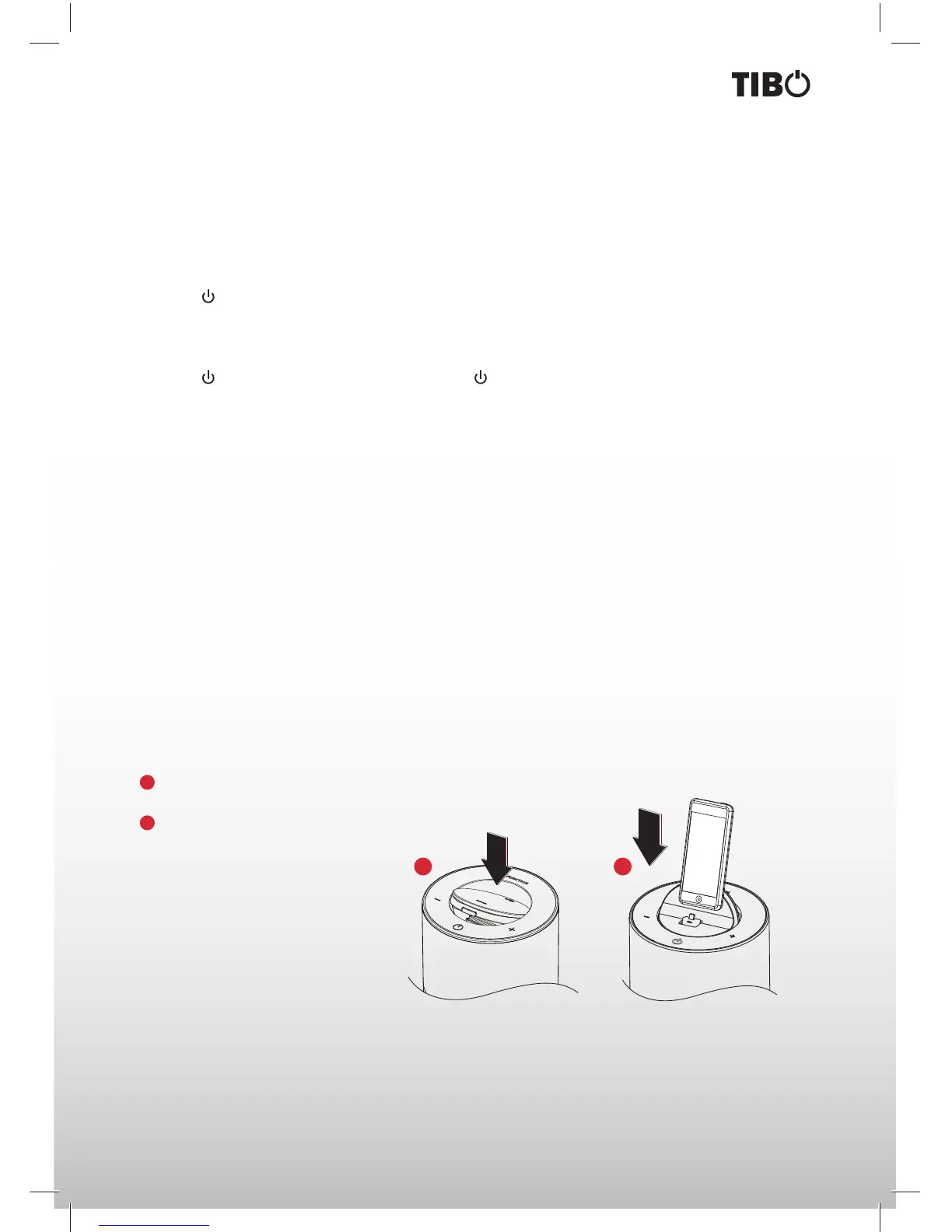
1
Press the FUNCTION button to select DOCK source then push down the OPEN area on top of the unit
to rotate out the dock for iPod/iPhone/ iPad.
2
Place an iPod/iPhone/iPad to the dock.
21


 To Next Page