7
Turn it back on
IDENTIFYING THE PARTS
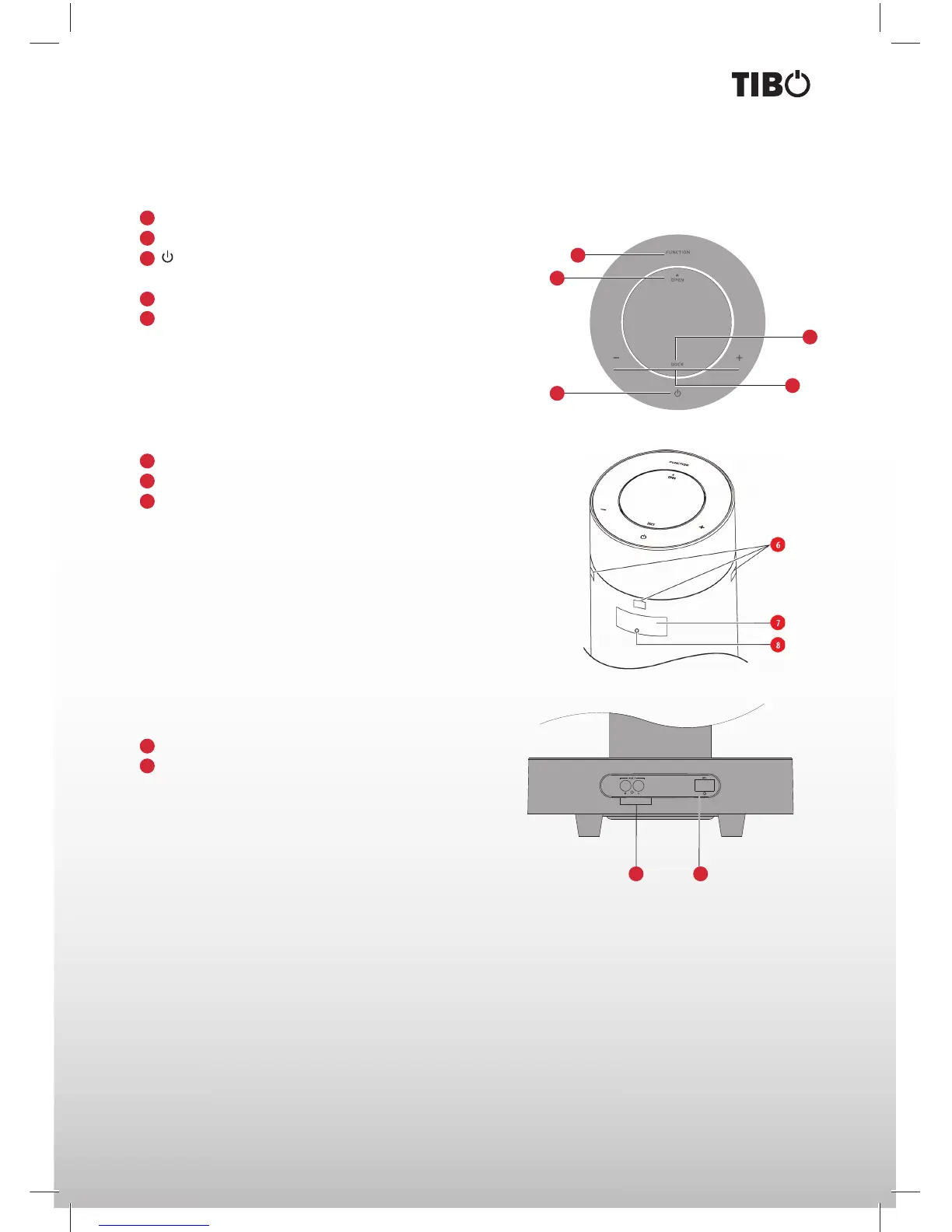
Main unit top view
FUNCTION - Press this button repeatedly to select a source.
OPEN - Open the Dock for iPod/iPhone/iPad.
- Press this button to turn on or switch to Eco Power
standby mode.
DOCK - Load an iPod/iPhone/iPad.
(+) VOLUME (-) - Increase or decrease volume level.
1
2
3
4
5
REMOTE CONTROL SENSORS.
LED DISPLAY.
POWER INDICATOR.
6
7
8
Main unit bottom view
AUX IN - Connect to an external audio device.
AC~ - Power supply socket.
1
2
1 2
2
3
4
5
1


 To Next Page