9
Turn it back on
CONNECTIONS
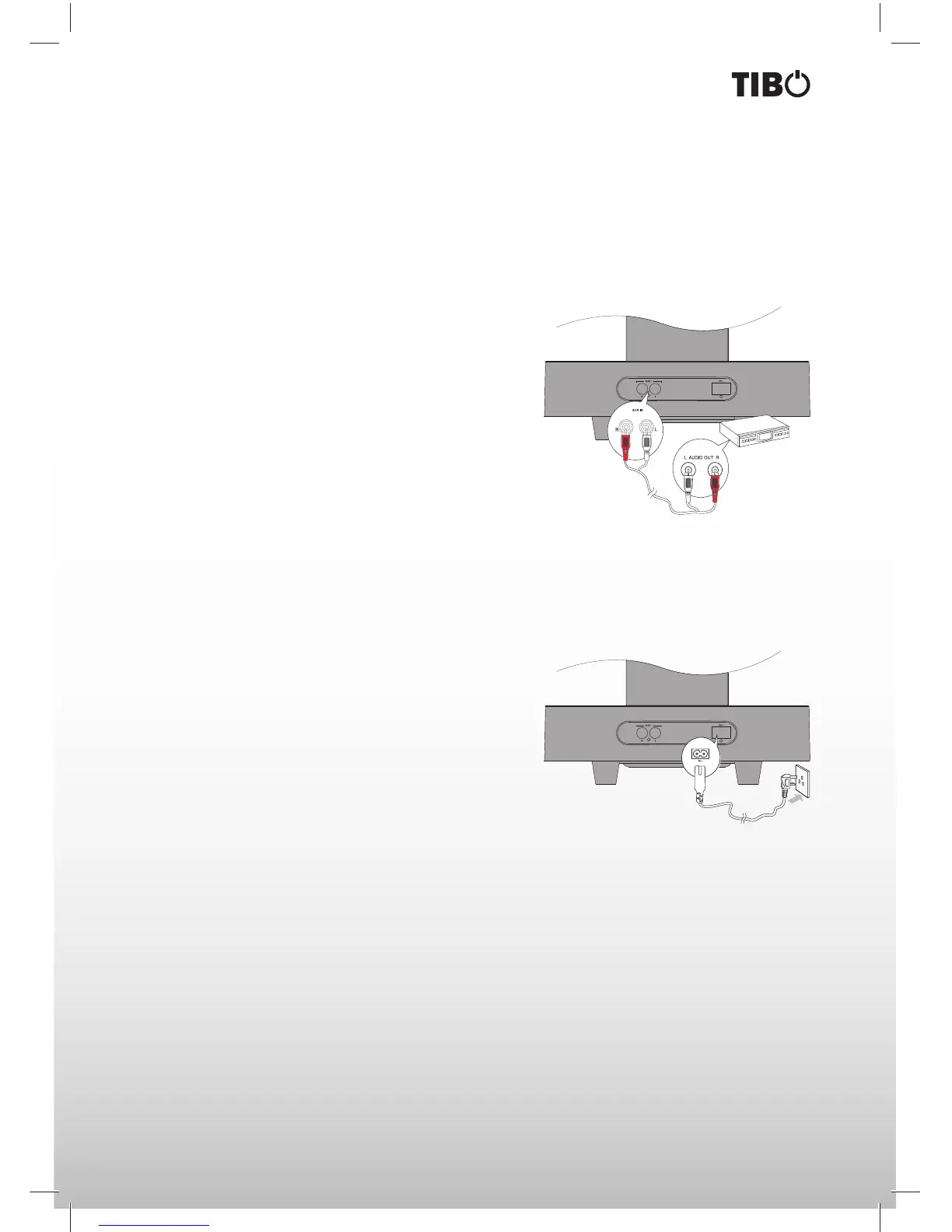
Connect to external audio device
You can also listen to an external audio device on this unit.
Using AUX IN socket connect audio cables to the AUX IN sockets on back of the unit. The audio output sock-
ets on external audio device.
Note: Press FUNCTION button on main unit or remote control to select AUX for your connection.
Connect power
Caution: Risk of product damage! Ensure that the power supply voltage corresponds to the voltage printed
on the back or the underside of the unit. Before connecting the AC power cord, ensure you have completed
all other connections.
Connect the AC power cord to the AC~ socket on the rear of the unit then plug into a wall socket.


 To Next Page