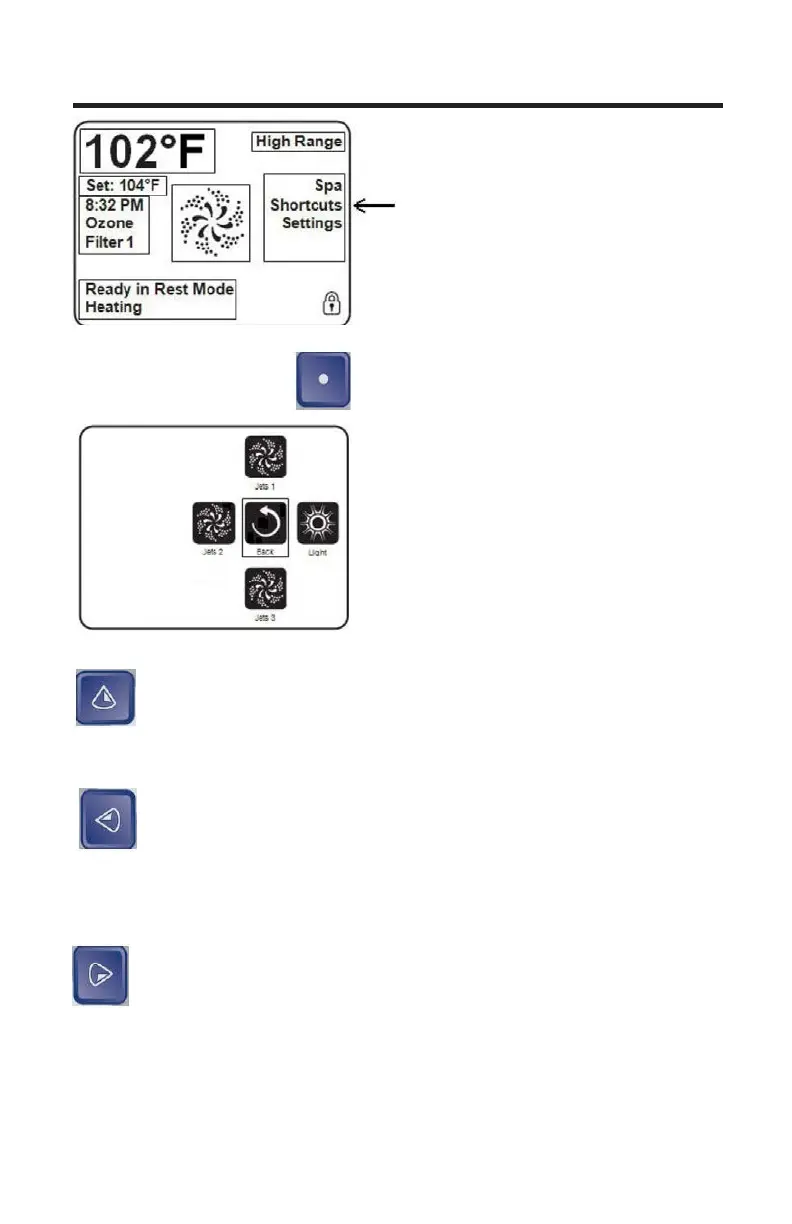
Press the Select Button when the Shortcut option is highlighted.
The main screen will change to shortcut
operation screen.
The shortcut menu assigns the operation
to the navigation buttons.
Up Button: The UP button will operate pump 1. First press of
the UP button will activate pump 1. A second press of the UP
button will deactivate pump1. If pump1 is not manually turned off
by pressing the UP button it will automatically timeout after 15
minutes.
Left Button: The Left button will operate pump 2. First press of
the Left button will activate pump 2. A second press of the Left
button will deactivate pump 2. If pump 2 is not manually turned
off by pressing the UP button it will automatically timeout after
15 minutes.
Right Button: The RIGHT button operates the L.E.D. Lights.
First Press of the RIGHT button will turn on the lights. A
second press of the Right button will turn the lights off. The
Island Spas lighting systems have different modes. To
cycle through the different modes you must turn the light on
and off, once the desired mode is selected, leave the light on.
If the light is not manually turned off it will automatically timeout
after 240 minutes.
TOPSIDE CONTROL INSTRUCTIONS
Shortcuts
Ready in Rest Mode
Heating
28


 To Next Page