51
SHIFT RED User Manual
ⓒ 2019. this is engineering Inc. All Rights Reserved.
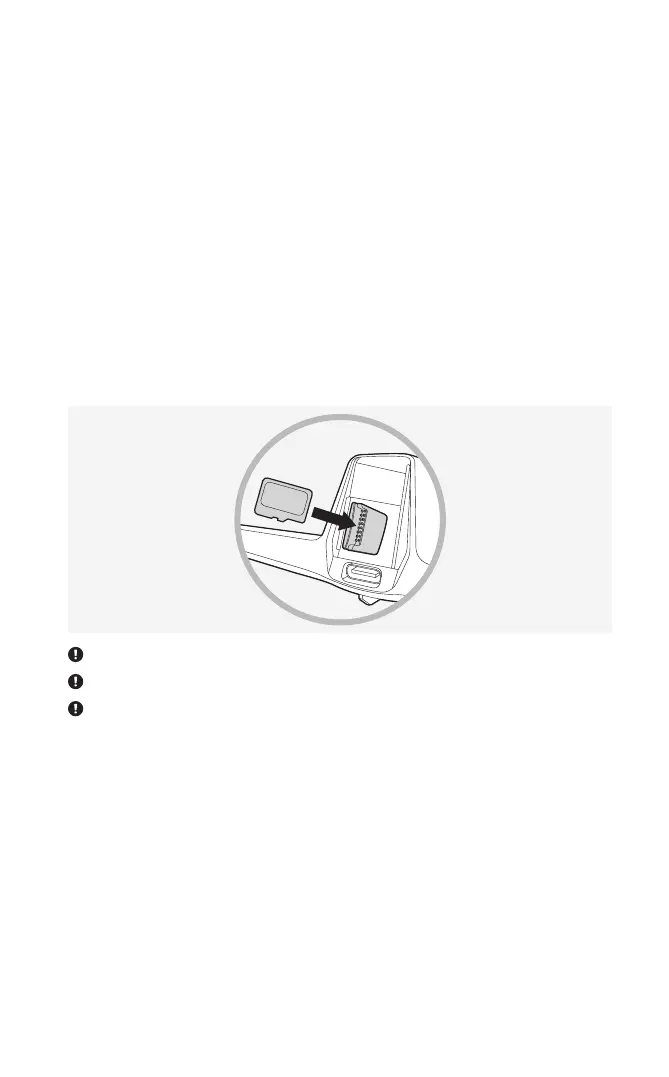
5. To take photos and videos using the SHIFT Drone application, a micro SD card
must be inserted in the aircraft. The micro SD card slot can be seen when the
battery is removed. The micro SD card can only be inserted in the designated
direction. Use the provided micro SD card, or a micro SD card of video speed class
10 or UHS class 1 or higher with a capacity of no more than 32 GB.
Before removing the micro SD card, always check that the drone is powered off.
Keep the micro SD card out of reach of children as it is dangerous if swallowed.
Check the free space of the micro SD card. When it falls below 100 Mbytes, video or photo recording becomes
disabled.


 To Next Page