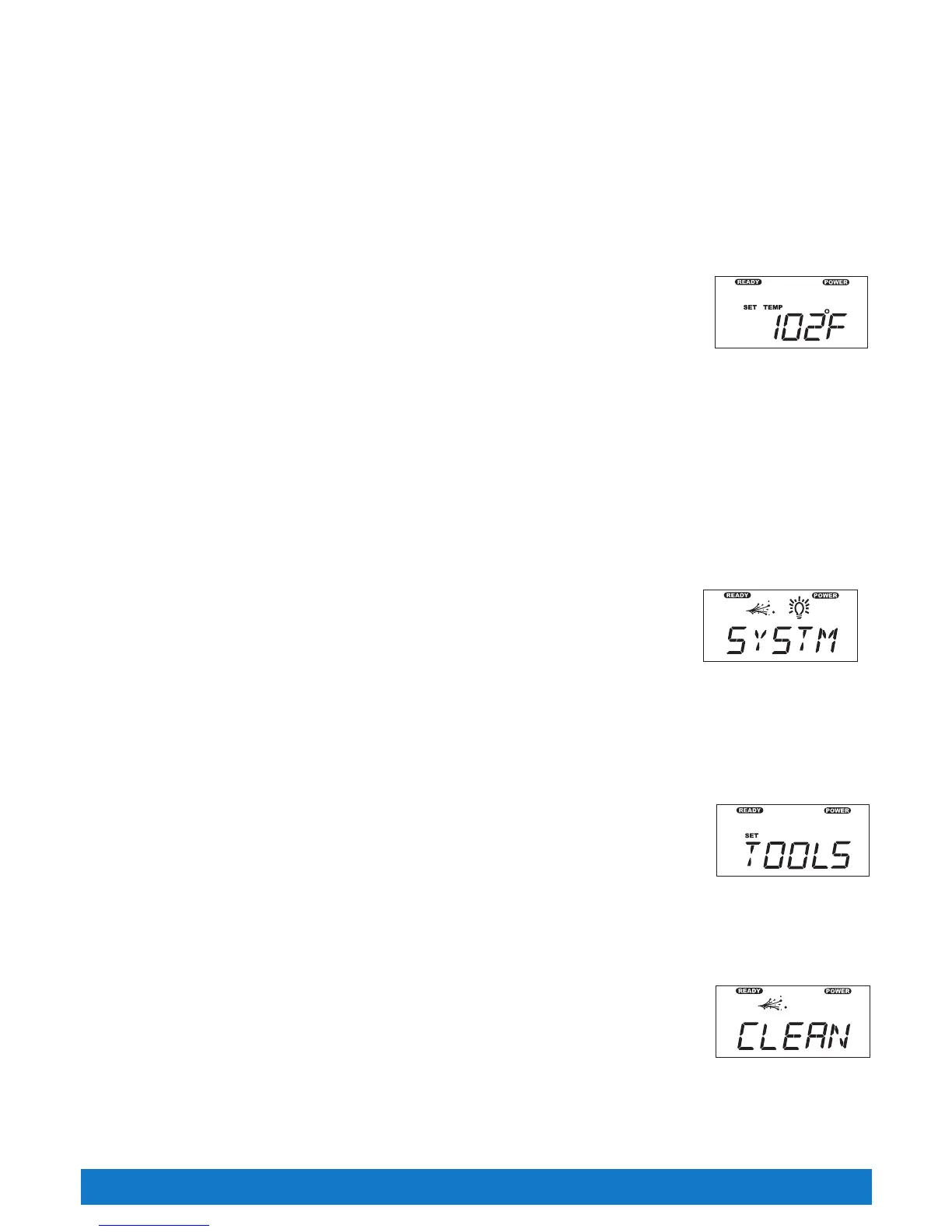
CONTROL PANEL MENU DISPLAY
Thecontrolpanelconsistsoffourmainmenus.Thesemenusare;SetTemperature,System,Lite+andTools.TheLite+menuwillonlyappearif
the spa is equipped with an optional multicolor light (if equipped with the optional multicolor light, use the reference card provided with the light for
operating instructions).
PresstheMODE▲orMODE▼buttontoscrollthroughthemainmenus.Oncethedesiredmenuisillustrated,presstheON▲buttontoactivate
the menu.
TEMPERATURE CONTROL
The set temperature range is from 80°F to 104°F (27°C to 40°C). (The temperature of any setting may rise slightly depending on the current use
and condition of your spa, and on outside temperature.)
The set temperature of the spa water will automatically be 100°F (38°C) the first time power is applied. This is
the setting programmed at the factory. After the spa has been set up and used, the last temperature value set by
the user will be stored in memory. If power is disconnected from the spa, it will automatically revert to the last set
temperature when power is reapplied.
Todisplaythesettemperatureofthespa,presstheON▲button.Thesettemperaturewillbedisplayed,unless
the spa is locked (in which case the lock icon is displayed). The set temperature display will automatically shut off after 30 seconds.
Toincreasethesettemperatureofthespawater,pressON▲button.Eachtimethebuttonispressed,thesettemperaturedisplaywillincrement
by one degree. If the button is held down, the set temperature display will increase by one degree every half-second.
Todecreasethesettemperatureofthespawater,presstheOFF▼button.Eachtimethebuttonispressed,thesettemperaturedisplaywill
decrement by one degree. If the button is held down, the set temperature display will decrease by one degree every half-second.
If the set temperature value will not change, check the TEMPERATURELOCK and SPALOCK features. When either of these features is applied,
the temperature control is disabled. To activate the temperature control buttons, remove all locking features applied.
SYSTEM MODE
Your Tiger River
®
spa is equipped with a System Mode. This function will allow you to conveniently turn the
jet(s) on high speed and the light on maximum intensity at the same time.
To activate the system mode, perform the following functions:
PresstheMODE▲buttonuntiltheSYSTMsymbolisilluminatedonthedisplay.Thejetsandlighticonswill
flashuntilthesystemmodeisactivated.PresstheON▲buttontoactivatetheSYSTMmodefeature.
NOTE: Once activated, the jet and light functions can still be changed by pressing the JETS or LIGHT button.
Todeactivatethesystemmode,presstheMODE▲buttonuntiltheSYSTMsymbolisilluminatedonthedisplay.PresstheOFF▼buttonto
deactivate.
TOOLS MENU
The TOOLS menu is one of the main menus on the control panel. Within the TOOLS menu are six submenus, which
consistsof;Clean,TempLock,SpaLock,SummerTimerandExit.
To enter into the TOOLSmenu,scrollthroughthemainmenususingtheMODE▲orMODE▼buttonuntilthe
TOOLSmenuisillustrated.PresstheON▲buttontoenterintotheTOOLSsubmenu,usetheMODE▲or
MODE▼buttontoscrollthroughthesubmenus.Oncethedesiredsubmenuisillustrated,presstheON▲button
toactivatethesubmenuorpresstheOFF▼buttontodeactivatethesubmenu.ToleavetheTOOLSsubmenu,
scrollthroughthesubmenuuntilEXITisillustrated,presstheON▲buttontoexitthesubmenu.
CLEANING MODE
All Tiger River spas are equipped with a “Cleaning” mode. When the mode is activated, the jet pump in the first jet
system will turn on and run for ten minutes (used for water maintenance). To activate the “Cleaning" mode, press
theMODE▲orMODE▼buttonuntiltheTOOLSmenuisillustrated.ThenpresstheON▲buttontoenterthe
TOOLS submenus. The CLEAN symbol will illuminated (the CLEAN mode is the first submenu) on the display.
PresstheON▲buttontoactivatetheCLEANmodefeature.
NOTE: The jet icon will remain solid in the CLEAN display and will flash on and off in the main display while the
“Cleaning ” mode is active.
TostoptheCleaningCyclebeforethetenminutesiscomplete,PresstheMODE▲buttonuntiltheTOOLSmenuisilluminatedthenpresstheON
buttontoentertheTOOLSsubmenuswheretheCLEANsymbolisilluminatedonthedisplay.PresstheOFF▼buttontodeactivate.
NOTE: Pressing the JETS button will also deactivate the clean cycle.
System Display Active
Clean Cycle Active
Page 27
Control Panel Operations
Set Temperature Display
Tools Display



 To Next Page