24
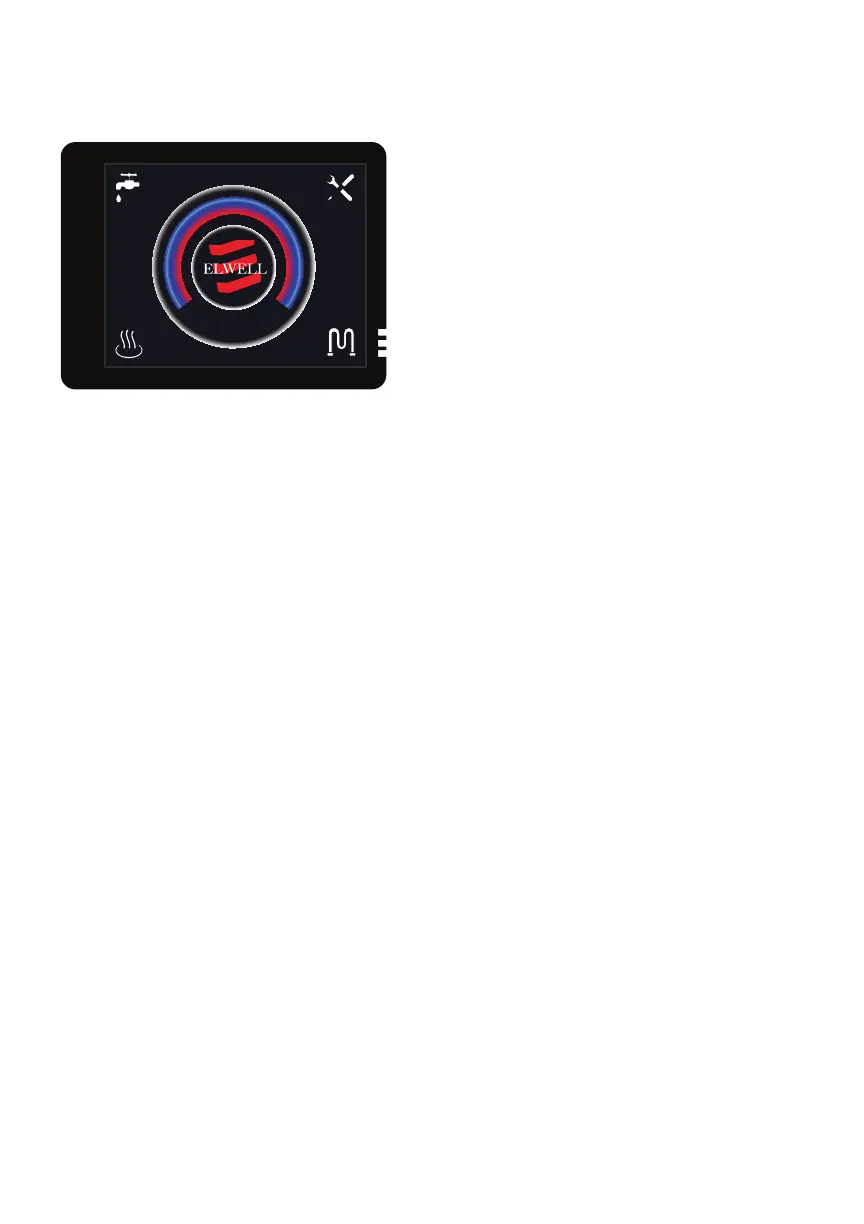
12. Touch Panel
If you cannot get the touch panel to
start up. Check the tan 5 amp fuse
inside the control box and inspect the
wiring between the control box and
touch panel. If there are no issues you
will need to replace the touch panel. To
replace the touch panel simply unplug
the old unit and replace it with the new
touch panel.
If you have replaced one of the
following components follow step 1.
• Binar Heater
• Timberline Tank
• Circulation Pump
• Heat Exchanger
• Solenoid Valve
If you have replaced the fans please
follow step 2.
Step 1.
Before starting the purging process
make sure the thermostat is off!
Check to make sure all clamps are
installed correctly on the replaced
component. Remove your pinch off
pliers and plug the component into the
wiring system. Select the pump over-
ride on the touch panel and let the
system purge for 10 minutes.
Once this is done select the burner
option and the hot water option, then
let the system run for another 15 min-
utes. If you have no codes on the touch
panel after 10 minutes, your system is
purged correctly.
Step 2.
When starting the purging process
make sure the thermostat is on and
the element option is selected. You
will need a head pressure pump, like a
Shuro, to purge the system correctly.
Find a good place under the vehicle to
add the pump into the system.
Make sure the radiator is on top on the
timberline tank before you turn the
pump on to purge. Turn the pump on
and let it purge for 10 minutes. After 10
minutes remove the pump. Turn on the
furnace with the thermostat on and let
the system purge for 10 more minutes.
If you have no codes on the touch
panel after 10 minutes, your system is
purged correctly.
13. Purging the System
68°F
+
-
off
60
70
80
90
65
75
85
Fig. 19. Timberline Touch Panel


 To Next Page