102
103
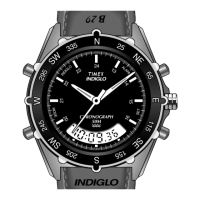
3 TIME ZONE FUNCTION
Your watch has the ability to display three time zones:
1. Hour and Minute hands: Displays the time in a stan-
dard 12 hour format. Please note: The date displayed
in the date window is linked to the time displayed by
these two hands.
2. 4th center hand and inner ring: Displays the time in a
24-hour format.
3. 4th center hand and case rotating top ring: Displays
the time in a 24-hour format.
4TH CENTER HAND ADJUSTMENT
To readjust a misaligned 4th center hand:
1. Pull the crown out to position 3.
2. 4th center hand should point to 12 o’clock. If within
5 seconds of pulling the crown to position 3 the 4th
center hand does not point to 12 o’clock, press button
A to move the hand clockwise until it points to 12
o’clock. Pressing and holding button A will make the
hand move at a fast rate.
3. Push crown in to position 1 when finished.



 To Next Page
 Loading...