10
P11
AUX IN
PRESET RADIO OPERATION
2
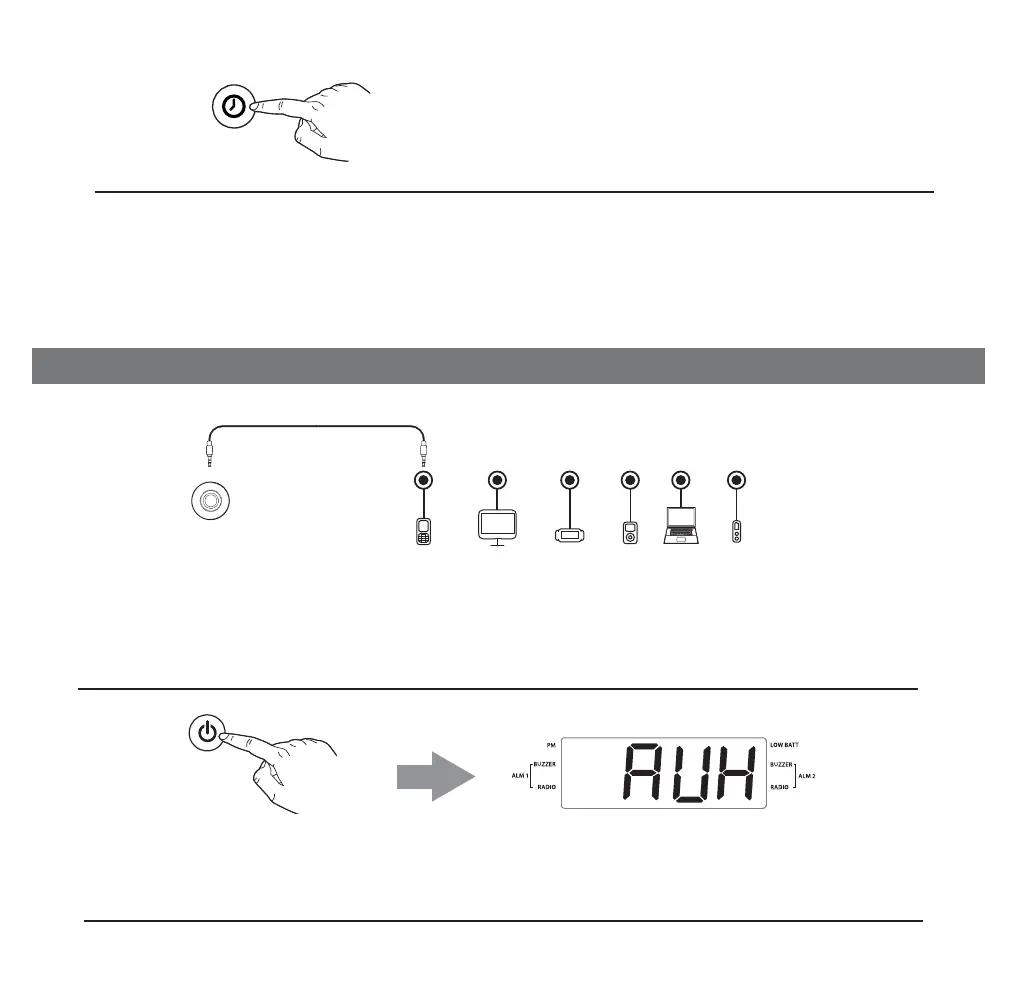
Press and release the Power/Mode/Alarm Reset Button as needed to
turn unit On and select AUX mode.
1
Connect a standard audio cable with 3.5mm plug (not included) to the AUX
IN jack located on the back of the unit and to the output/headphone jack of
your audio device.
Using Aux In Audio
5
Press and release the Clock/Preset Button
to confirm the preset number (P01 - P10) you
want to assign to the current station.
Continue steps 1- 5 to set all desired presets.
To listen to a preset AM or FM station at any time, press and release the
Clock/Preset Button as needed to select the desired preset station.
Mobile Phone
Game Devices
iPod
Laptop
PC/Tablet
MP3/MP4
CLOCK/
PRESET



 To Next Page