EN
13
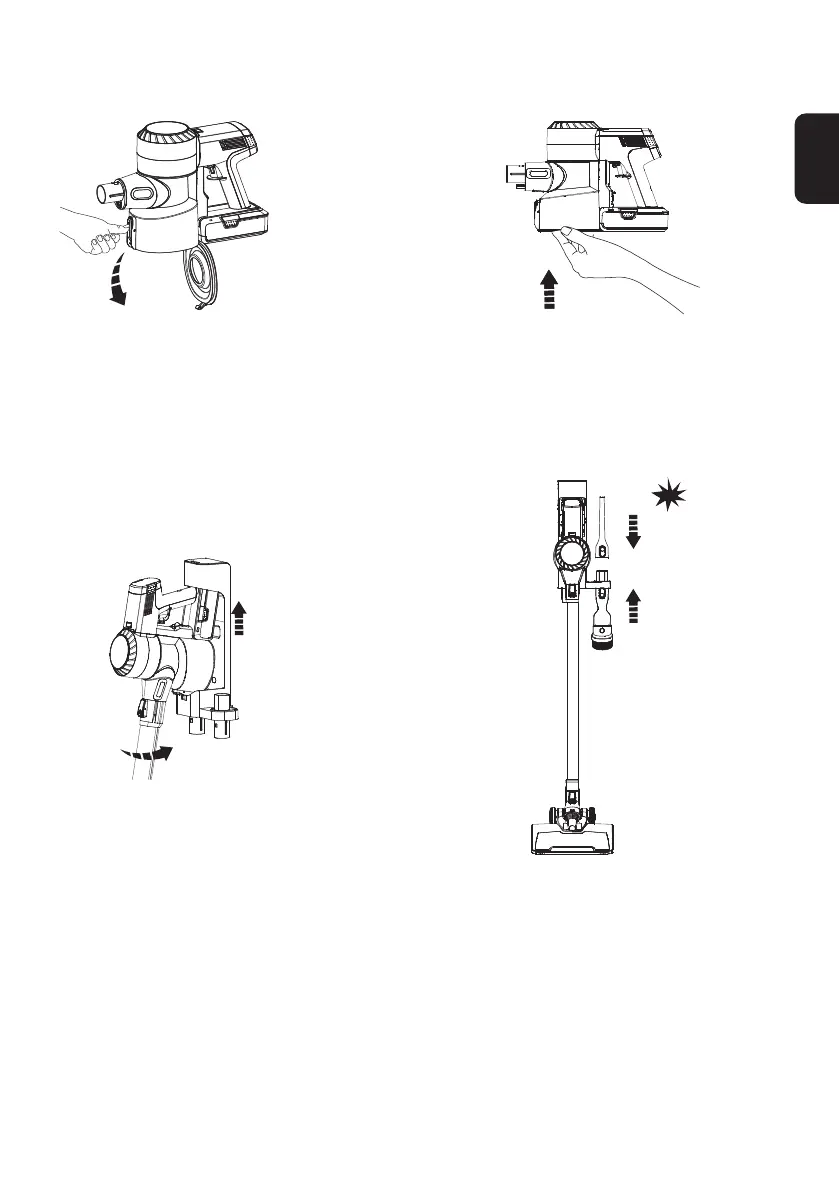
Emptying the Dustbin
Press the release button on the side of the
dustbin to empty the contents.
Close and click the dustbin ap back into place.
• Place the appliance on the wall-mounted dock for convenient storage and recharging after use.
①
②
click
Place the main body on the dock. To avoid bristle damage, always place
attachments on the dock after use.


 To Next Page
 Loading...