
 Need help?
Do you have a question about the Tiny Audio C6 and is the answer not in the manual?
Key safety guidelines to prevent damage and ensure safe operation of the device.
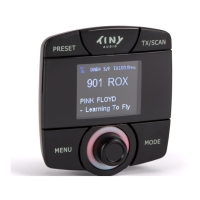
Description of the primary DAB receiver unit.
Steps for mounting, connecting power, antenna, and initial channel scanning.
Steps to select AUX OUT for audio output via line out cable.
Guide to automatically finding a vacant FM frequency for transmission.
Guide to manually selecting a vacant FM frequency for transmission.
Key instructions and warnings for optimal antenna placement.
Detailed steps for cleaning and applying the antenna film to the windscreen.
Steps for preparing the second part of the antenna assembly.
Instructions for connecting the antenna box and ground plate.
Final steps to attach the antenna box to the film.
Procedure to reset the device to its original factory settings.
 General
| Radio type | Car |
|---|---|
| Tuner type | Digital |
| Supported radio bands | DAB, FM |
| RMS rated power | - W |
| Built-in speaker(s) | No |
| Built-in display | Yes |
| MP3 playback | - |
| Product color | Black |
| Volume control | Rotary |
| Power source | DC |
| DC input voltage | 12 - 24 V |
 Weight and Dimensions
| Width | - mm |
|---|

 To Next Page