Side 9
Service Information: DAB+ mode
The Service Information display -The Service Information data
will be displayed with scrolling text which is being broadcasted
from the station.
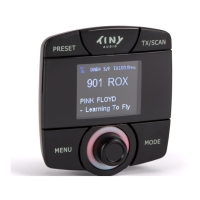
While listening to DAB+, the display will show the followings if
applicable.
1. Channel Name
2. Frequency
3. Multiplex Name(DLS)
4. DAB+ icon
5. Number of Channel Scan and Stored
6. Signal Strength
7. FM Transmitting Frequency
8. AUX IN or AUX OUT status
9. Service Following On status
Service Following ON/OFF Control:
1. Press the “MODE” button until “DAB+ Radio” mode
is found.
2. In “DAB” mode, press and hold the “TX/SCAN”
button to turn ON the service following function. A
“S/F” will displayed on the LCD screen. Repeat the
same procedure to turn OFF the service following
function and “S/F” will also disappear from the LCD
screen.


 To Next Page