Side 6
select “AUX OUT” and confirm by pressing Tuning Knob.
Short press “MODE” button to exit menu. A headphone
icon “
” will be displayed at the top of the blue bar.
2. Connect your car audio stereo speaker “Aux-in” or
“Line-in” to the “LINE OUT” jack on the right-hand side of
TINY AUDIO C6 with the provided 3.5mm audio cable.
Remark: In “AUX OUT” mode, there will be no FM transmission to
the car stereo.
Receive signal from the In-Car DAB+ radio through FM
transmission:
--Select FM Transmitting Frequency (Auto Mode):
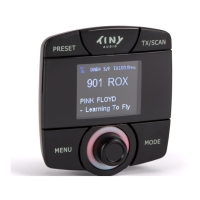
1. Press and hold “MENU” button to enter menu mode,
use Tuning Knob to search for “AUX IN/OUT Select”
and confirm by pressing Tuning Knob. Use Tuning
Knob to select “AUX IN” and confirm by pressing
Tuning Knob.
2. Press “TX/SCAN” button to show FM transmitting
frequency (TX FREQ).
3. Then press and hold “TX/SCAN” button for 2 seconds
to activate the automatic scanning of a “vacant”
transmission frequency without interference with
other channels. The scanning process will take 5-6
seconds to scan the frequency automatically with a


 To Next Page