Side 10
Manage the Preset Stations:
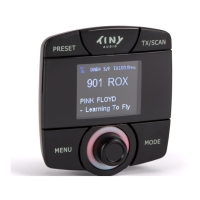
Storing the Preset Stations:
To program and store your favorite DAB+ preset stations:
1. To select a favorite DAB+ station using Tuning Knob.
2. Press and hold “PRESET” button for 3 seconds to enter
“Store Preset” mode.
3. Use Tuning Knob to scroll up or down to select a
number in memory to store your favorite station.
4. Press Tuning Knob to confirm and exit “Store Preset”
mode. A message “Stored Successfully” will be
displayed.
Recalling the Preset Stations:
To recall your favorite DAB+ preset stations:
1. Press “PRESET” button to enter “Select Preset”
mode.
2. Use Tuning Knob to scroll up or down to recall a
Preset Station.
3. Press Tuning Knob to confirm and exit “Select
Preset” mode.


 To Next Page