INSTALLATION MANUAL
MODEL : TIS-4PL-E66D
NETWORK 4 ZONE AMPLIFIER
18
www.tiscontrol.com
TIS CONTROL LIMITED
Wanchai, Hong Kong
TIS CONTROL PTY LIMITED
SA, AUSTRALIA
Copyright © 2023 TIS, All Rights Reserved
TIS Logo is registered trademark of TIS CONTROL.
All of the specification are subject to change without notice.
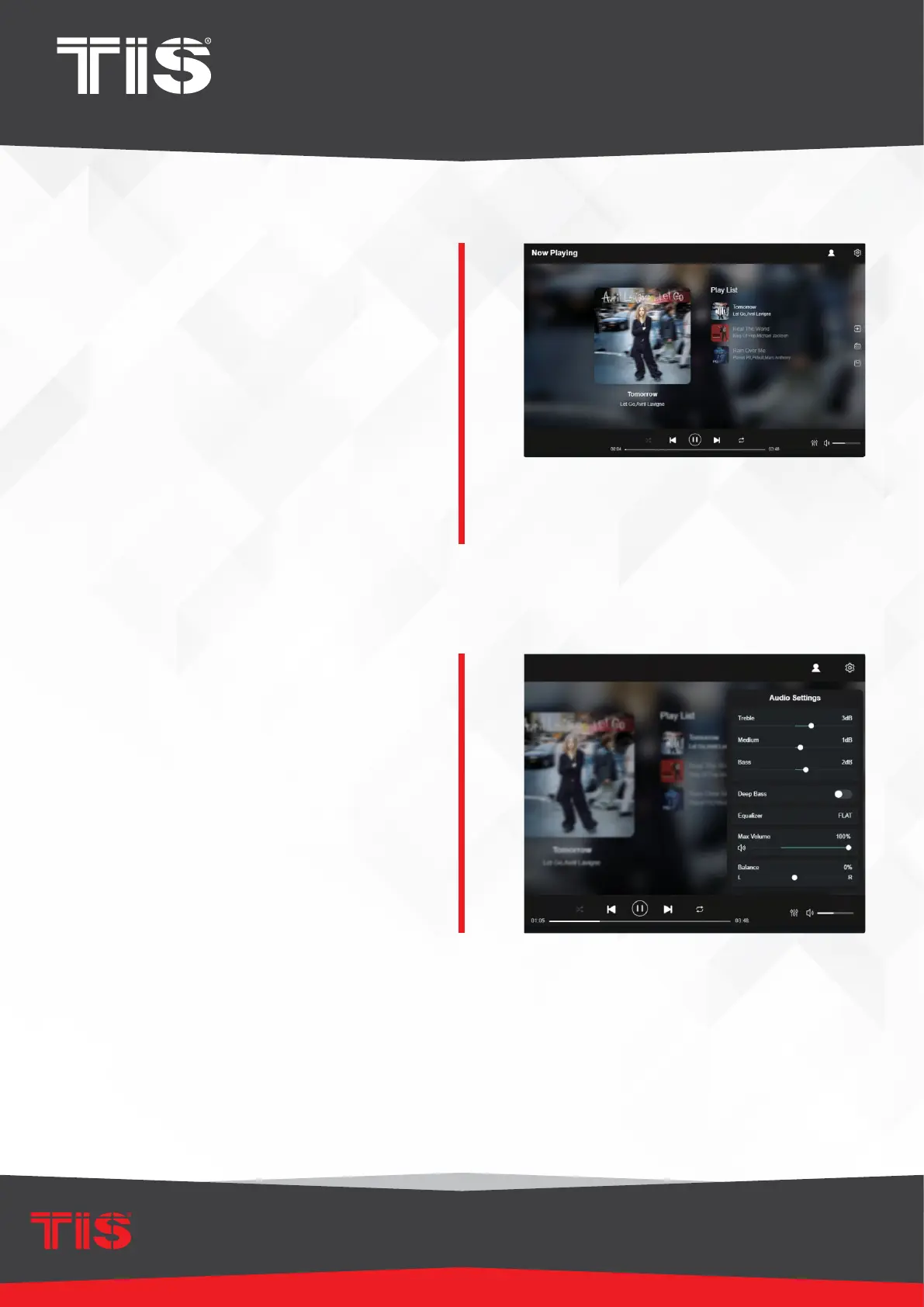
Playback Interface
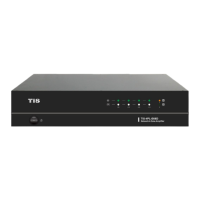
EQ Interface
You can control the volume, Play/Pause,
previous/next song, repeat, and shufe
functions for the songs or stations
you’re currently listening to, as well as
access the preset songs/stations you’ve
created.
You can also change the device’s input
source.
If you have a favorite internet radio
station and know the streaming URL,
add it to the URL Play list for quick
access.
You can congure various EQ settings in
the EQ menu.
Change the Treble/Medium/Bass level,
enable/disable Deep Bass, select
Equalizer, set the maximum volume
level, and adjust the L/R channel
balance.


 To Next Page