INSTALLATION MANUAL
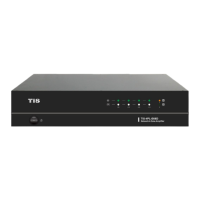
MODEL : TIS-4PL-E66D
NETWORK 4 ZONE AMPLIFIER
20
www.tiscontrol.com
TIS CONTROL LIMITED
Wanchai, Hong Kong
TIS CONTROL PTY LIMITED
SA, AUSTRALIA
Copyright © 2023 TIS, All Rights Reserved
TIS Logo is registered trademark of TIS CONTROL.
All of the specification are subject to change without notice.
FIRMWARE UPDATE
FCC Statement:
A “new” icon will appear whenever a new rmware is available. To begin the rmware update, click on the
“new” icon; it will take a few minutes.
It is recommended to update rmware as soon as it becomes available; it may not only x bugs or improve
performance, but it may also add new features or services.
Radiation Exposure Statement from the Federal Communications Commission (FCC)
Maintain a distance of 20cm from the body when using the product to ensure compliance with RF exposure
requirements. Part 15 of the FCC rules apply to this device. The operation is subject to two conditions:
1) This device may not generate harmful interference; and 2) this device must accept any interference
received, including interference that may result in undesired operation.
NOTICE: The manufacturer is not liable for radio or television interference caused by unauthorized
modications or changes to this equipment. Modications or changes of this nature may revoke the user’s
authority to operate the equipment.
NOTE: This equipment has been tested and found to comply with the Class B digital device limits set forth
in Part 15 of the FCC Rules. These limits are intended to protect a residential installation from potentially
harmful interference. This equipment generates and can emit radio frequency energy and, if not installed and
used properly, may cause harmful interference to radio communications. There is no guarantee, however,
that interference will not occur in a specic installation.
If this equipment causes harmful interference to radio or television reception, as determined by turning the
equipment on and off, the user is encouraged to try to correct the interference using one or more of the
following measures:
▸
Rotate or move the receiving antenna.
▸
Increase the distance between the equipment and the receiver.
▸
Plug the equipment into an outlet on a different circuit than the one to which the receiver is connected.
▸
For assistance, contact the dealer or an experienced radio/TV technician.


 To Next Page