EasyManua.ls Logo

TKH PD950 - User Manual

TKH PD950
36 pages
Print Icon
To Next Page IconTo Next Page
Loading...
Our Brands: FlinQ | iProtect | Park Assist | ParkEyes | Siqura | VDG
Installations in over 80 countries
TKH Security B.V. | +31 182 592 333 | info.nl@tkhsecurity.com | tkhsecurity.com
Meridiaan 32
2801 DA, Gouda
The Netherlands
PD950/PD980
January 4, 2021
Installation Manual
Page 1
PD950/PD980
Installation Manual
Status:
v2.3
11-Jul-23
Author:
Onno Verkerk
Question and Answer IconNeed help?

Do you have a question about the TKH PD950 and is the answer not in the manual?

Overview

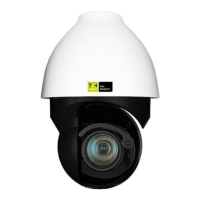
The PD950/PD980 is a network PTZ camera designed for surveillance applications, offering advanced features and robust construction for reliable performance in various environments. This installation manual provides comprehensive instructions for setting up, connecting, and maintaining the camera, ensuring optimal functionality and longevity.

Function Description

The PD950/PD980 camera series provides high-quality video surveillance with advanced imaging and control capabilities. Key functions include:

  • High-Resolution Imaging: Supports multiple progressive scan CMOS sensors, offering up to 5 MP resolution for the PD950 and up to 8 MP resolution for the PD980, ensuring clear and detailed images.
  • Optical Zoom: Features up to 40x optical zoom, allowing for detailed observation of distant objects.
  • Enhanced Image Quality: Incorporates Multi-exposure HDR (High Dynamic Range) for balanced images in challenging lighting conditions, and Electrical Image Stabilizer (EIS) to reduce blur from vibrations.
  • Versatile Video Compression: Supports multiple codecs including H.265, H.264, and MJPEG, enabling efficient storage and transmission of video data.
  • Low Latency Streaming: Designed for minimal delay in video feeds, crucial for real-time monitoring.
  • Quad Streams Support: Allows for multiple video streams at different resolutions and bitrates simultaneously, catering to various viewing and recording needs.
  • True Day/Night Function (ICR): Utilizes an Infrared Cut-filter Removable (ICR) mechanism to switch between color and monochrome modes, providing clear images day and night.
  • Infrared Illumination: Equipped with IR LEDs for night vision, offering a working distance of up to 200 meters in low or zero lux environments.
  • Analog Video Output: Includes a BNC analog output for installation support and local monitoring.
  • RS-485 Support: Enables integration with external control systems using the RS-485 interface.
  • Advanced Noise Reduction: Features 3D Motion Compensated Noise Reduction (MCTF) to enhance image clarity in low-light conditions.
  • Smart Event Functions: Offers intelligent detection capabilities such as external input triggers, motion detection, network failure detection, periodical events, manual triggers, audio detection, loitering detection, intrusion detection, and object abandonment detection.
  • Data Storage: Supports Micro SD/SDHC/SDXC cards for on-board video storage and snapshots.
  • Network Protocol Support: Compliant with ONVIF profiles S, G, and T, ensuring interoperability with a wide range of network video management systems.
  • Smart Low Bitrate Control: Optimizes video compression to reduce bandwidth and storage requirements without compromising essential image quality.
  • Weatherproof Design: Rated IP66, providing protection against dust and water ingress, making it suitable for outdoor installations.
  • Servo Feedback Technology: Guarantees precise return to previous positions without stalling, ensuring consistent target monitoring.
  • Zero Downtime Power Switching (ZDT): Ensures continuous operation without sudden power loss, enhancing reliability.

Important Technical Specifications

  • Resolution: Up to 5 MP (PD950) / 8 MP (PD980).
  • Optical Zoom: Up to 40x.
  • IR Working Distance: Up to 200 meters.
  • Video Codecs: H.265 / H.264 / MJPEG.
  • Ingress Protection: IP66.
  • Power Supply (PD950/PD980): PoE 802.3bt (max 51W) or 24 VAC.
  • Power Supply (PD950DC): PoE 802.3bt (max 51W) or 24 VAC.
  • Power Supply (PD950NW): 24 VAC (50-60Hz, 2.09A) or 55VDC, 0.91A (PoE 802.3bt).
  • Network Interface: 10Base-T / 100Base-TX / 1000Base-T (10/100/1000 Mbps operation).
  • Connectors:
    • RJ-45 Port (for network and PoE+).
    • 3-pin power terminal block (AC24V use).
    • 14-pin Alarm/Audio I/O terminal block.
    • BNC analog video output.
    • SD card slot.
    • Reset button.
  • Dimensions (PD950/PD980): Ø 241 mm (diameter) x 364 mm (height) / 170 mm (height from base to top of dome).
  • Dimensions (PD950DC): Ø 210 mm (diameter) x 279 mm (height).
  • Dimensions (PD950NW): Ø 207 mm (diameter) x 315 mm (height).
  • Recommended PC Specifications for Web Viewer:
    • Minimum: Intel® CoreTM i5-2430M @ 2.4 GHz, 4 GB RAM.
    • Recommended: Intel® CoreTM i7-3770 CPU@ 3.4 GHz, 8 GB RAM, 8 GB RAM.
  • Supported Operating Systems: Windows XP / Vista / 7 / 8 / 10 / 11.
  • Supported Web Browsers: Microsoft Edge (Chrome based version), Google Chrome, Mozilla Firefox, Safari, Opera, Microsoft Internet Explorer 11.0 (requires ActiveX).

Usage Features

  • Easy Installation: The manual provides detailed steps for connecting cables, including power, Ethernet, audio/alarm I/O, and RS-485. It also includes instructions for grommet installation and NPS-NPT coupler installation to ensure watertight seals.
  • Initial Access and Configuration: Cameras can be discovered and configured using the SDM2 Device Manager tool, available from the TKH Security website. Default network settings and login information are provided for initial setup.
  • Web Browser Interface: The camera can be accessed and controlled via a web browser, offering a user-friendly interface for video viewing, configuration, and management.
  • SD Card Recording: Supports local recording to a micro SD card for video and snapshots, providing a backup or standalone recording solution. Note: Continuous 24/7 recording on micro SD cards is not recommended due to potential long-term data read/write issues.
  • Remote Access: Allows for remote monitoring and control over the network.
  • Flexible Power Options: Supports both PoE (802.3bt) and 24 VAC power inputs, offering flexibility in deployment.
  • Multiple Brands Integration: Compatible with TKH Security's ecosystem of brands including FlinQ, iProtect, Park Assist, ParkEyes, Siqura, and VDG.

Maintenance Features

  • Firmware Updates: While not explicitly detailed as a feature, regular firmware updates are typically available for network cameras to enhance performance, add features, and address security vulnerabilities.
  • Configuration Backup and Restore: The camera allows for exporting and importing configuration files (.bin), simplifying the setup of multiple cameras with identical settings and providing a backup for disaster recovery.
  • System Reset: A reset button is available to restore the camera to its factory default settings, useful for troubleshooting or reconfiguring the device.
  • Troubleshooting Guides: The manual includes sections on technical support, addressing common issues such as "No Video on Chrome, Firefox, Edge" (by enabling MJPEG stream) and "Delete Previously Installed Siqura Viewer" (with step-by-step instructions for removal and temporary Internet files deletion).
  • ActiveX Control Management: Instructions are provided for allowing ActiveX control installation in Internet Explorer, which is necessary for full streaming performance in that browser.
  • Cable Management and Sealing: Detailed instructions for proper cable routing and sealing (using thread seal tape and grommets) are provided to prevent water ingress and ensure the camera's IP66 rating is maintained, which is crucial for long-term outdoor reliability.
  • Surge Protection: Recommendations for additional surge protection measures are outlined for both direct/indirect lightning strikes and Ethernet port protection, extending the camera's lifespan in harsh environments. This includes using earthed air-termination rods, wiring loops, external surge protectors (AETEK SD-101 or SD-201), and gas-discharge tubes (GDTs).
  • Cleaning and Preparation: For installations involving NPS-NPT couplers, instructions for cleaning and preparing surfaces (free from grease, oil, water, etc.) are provided to ensure proper adhesion of the sealant.

TKH PD950 Specifications

General IconGeneral
BrandTKH
ModelPD950
CategoryDigital Camera
LanguageEnglish