1 About this manual
What's in this manual
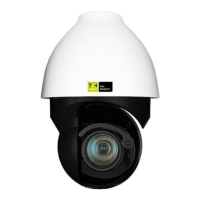
This is version 1 of the installation assistance provided for the PD9x0 Series camera. The manual
gives you all the information you need to install the product. It tells you:
• How to connect cables
• How to get access to the camera
• How to set up video resolution
• How to export and import configuration files
• How to delete previously-installed Viewer software and to enable Siqura Viewer installation
Where to find more information
Find additional manuals, and the latest firmware for this product at https://tkhsecurity.com. We
advise you to make sure that you have the latest version of this manual.
Who this manual is for
These instructions are for all professionals who will install PD9x0 Series cameras.
What you need to know
You will have a better understanding of how the camera works if you are familiar with:
• Camera technologies
• CCTV systems and components
• Ethernet network technologies and Internet Protocol (IP)
• Windows environments
• Video, audio, data, and contact closure transmissions
• Video compression methods
Before you continue
Before you continue, read and obey all instructions and warnings in this manual. Keep this manual
with the original bill of sale for future reference and, if necessary, warranty service. When you
unpack your product, make sure there are no missing or damaged items. If any item is missing, or if
you find damage, do not install or operate this product. Ask your supplier for assistance.
Why specifications may change
We are committed to delivering high-quality products and services. The information given in this
manual was current when published. As we continuously seek to improve our products and user
experience, all features and specifications are subject to change without notice.


 To Next Page