M
OUNTING/RIGGING – PROPLEX MINI ENCLOSURES
Orientation
ProPlex Mini units may be mounted in any position, using the standard yoke. Always make
sure there is adequate room for ventilation.
Rigging – Always consult a certified rigging specialist before suspending any device
overhead.
Use ProBurger
®
couplers or equivalent C- or O-type clamps for attaching to truss. After
establishing the desired position, tighten all appropriate bolts.
• Always use safety cables!
• When selecting installation location, consider routine maintenance.
• Never mount Mini enclosure where it will be exposed to moisture, high humidity,
extreme temperatures, or restricted ventilation.
4. PROPLEX IQ CONFIGURATION
ProPlex IQ can be configured in two ways;
1) Remotely via Ethernet by accessing built-in web page with Ethernet browser.
2) Using control panel display and buttons.
CONFIGURATION USING BUILT-IN WEB PAGE
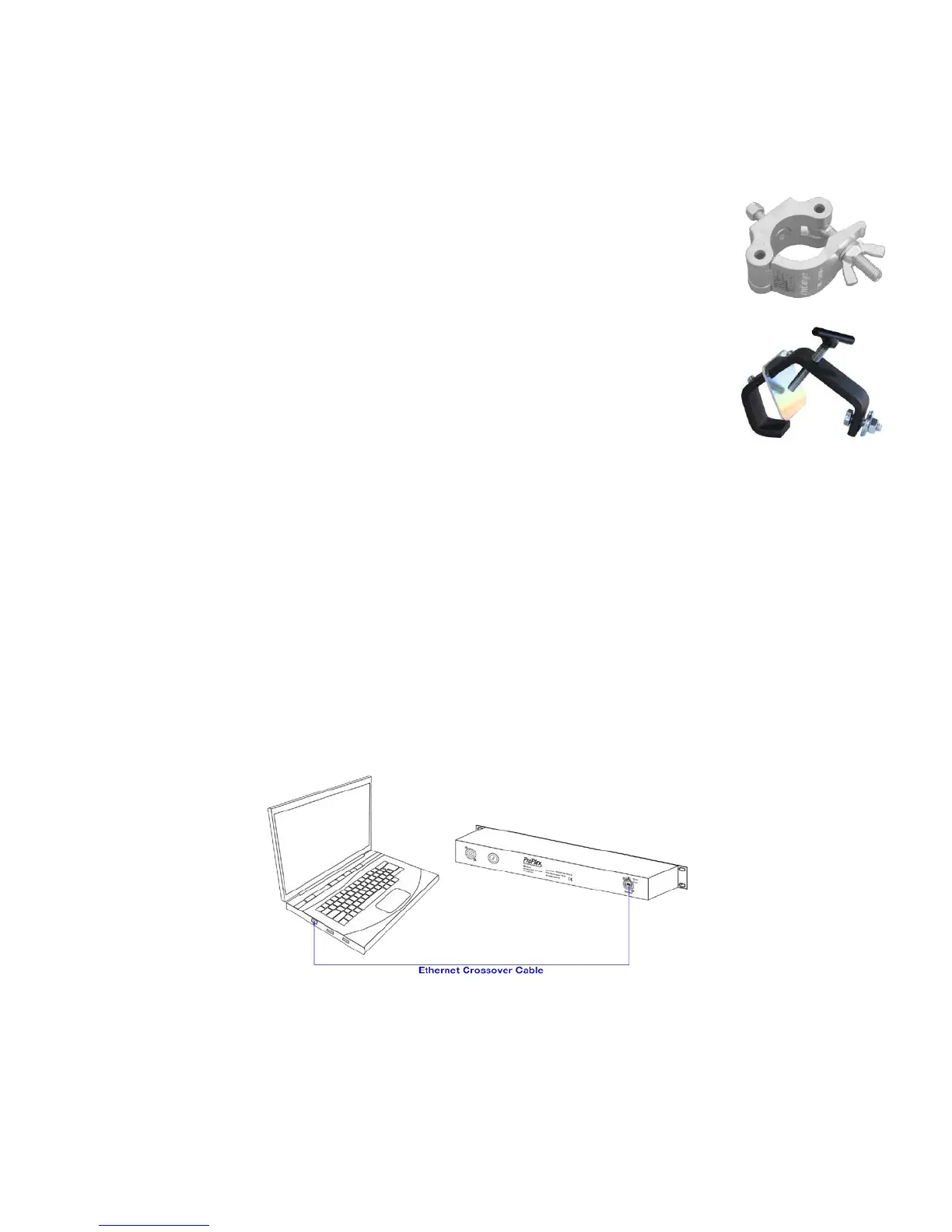
All device settings can be changed remotely by accessing built-in web page from a computer connected to
same network as ProPlex IQ. To connect ProPlex IQ to a personal computer, an Ethernet crossover cable
may be required, although some PCs auto-sense the type of connection. If a crossover cable is not
available, then use an Ethernet switch to connect ProPlex IQ to your PC.



 To Next Page