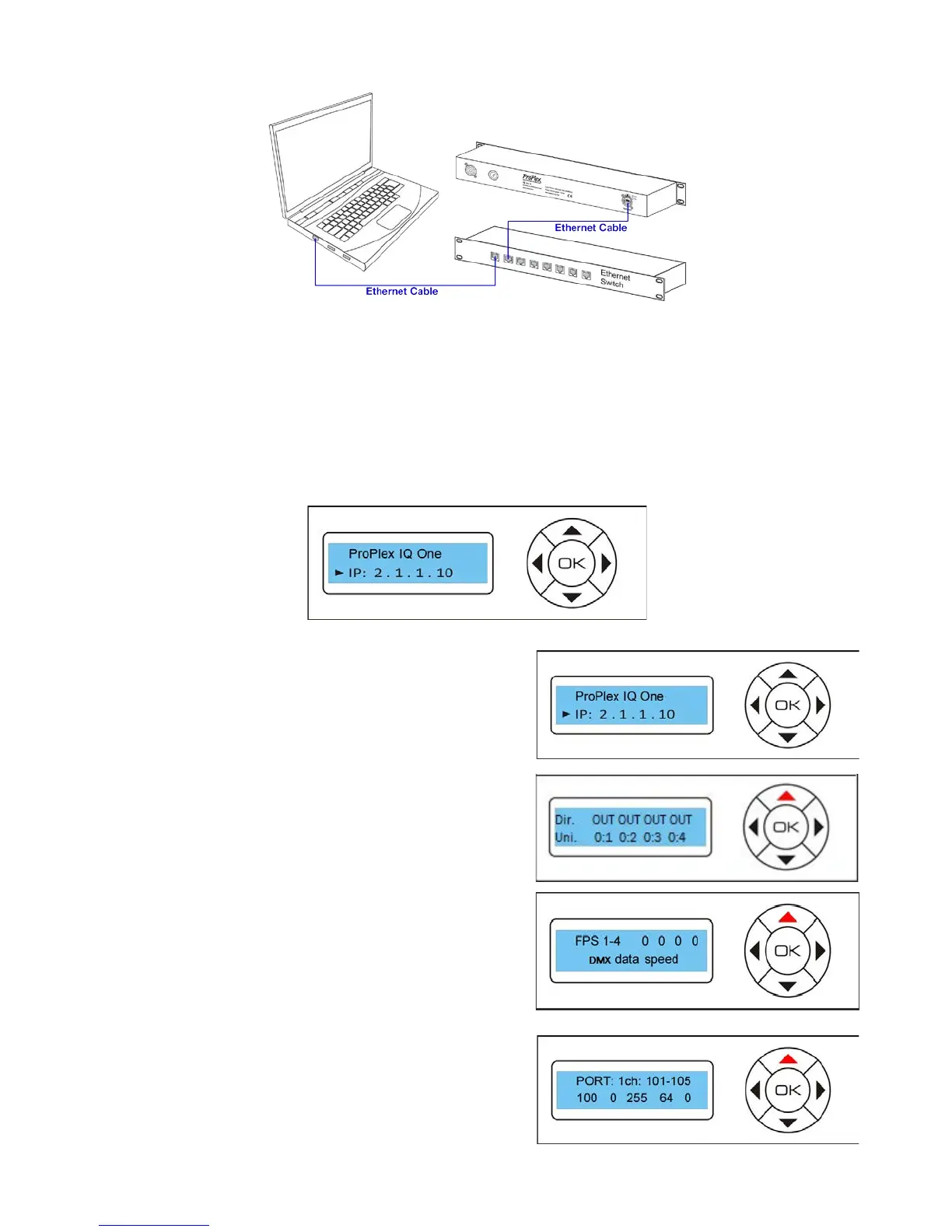
To access the ProPlex IQ configuration page, enter device IP address (default 2.1.1.10) in any web browser.
To change any of the parameters, adjust corresponding field and press SET button near it to apply new
value.
CONFIGURATION USING CONTROL PANEL DISPLAY
Navigation through the menu is done using the 4-direction keypad with central key as OK (confirm) key.
Up / Down keys are used to change status screens.
Four screens are available:
1. Shows device name and IP address
2. Shows port directions and universes assigned
3. Shows DMX IN packet rate per second
4. Shows DMX values, current channels can be
changed using Left / Right buttons



 To Next Page