EasyManua.ls Logo

TMC MCI mc-9 - Page 28

Default Icon
57 pages
Print Icon
To Next Page IconTo Next Page
To Previous Page IconTo Previous Page
Loading...
Destination
Sign
Operation
Open
sight
hole
and
move
destination
sign
to
desired
designation
.
Rotate
hand
le
counterclockwise
to
takP.
up
sl
ack
in
mechanism.
This will
lock
upper
roller to
prevent
sign
from
moving
while
coach
is in
mot
i
on
.
i
I
iR
PAssi.S!R
I
op/lf
l
lAII'
p~
AKIDa::
TIONo,~
:,
11
u
AIYO#r
is
sr:C
I
RWARa
Of
lffr
Wllll!
U
I!
!0111¥91111
COAaJ
~
II
l1illr
'
I
~ -
-_;:;;:::::;=.-
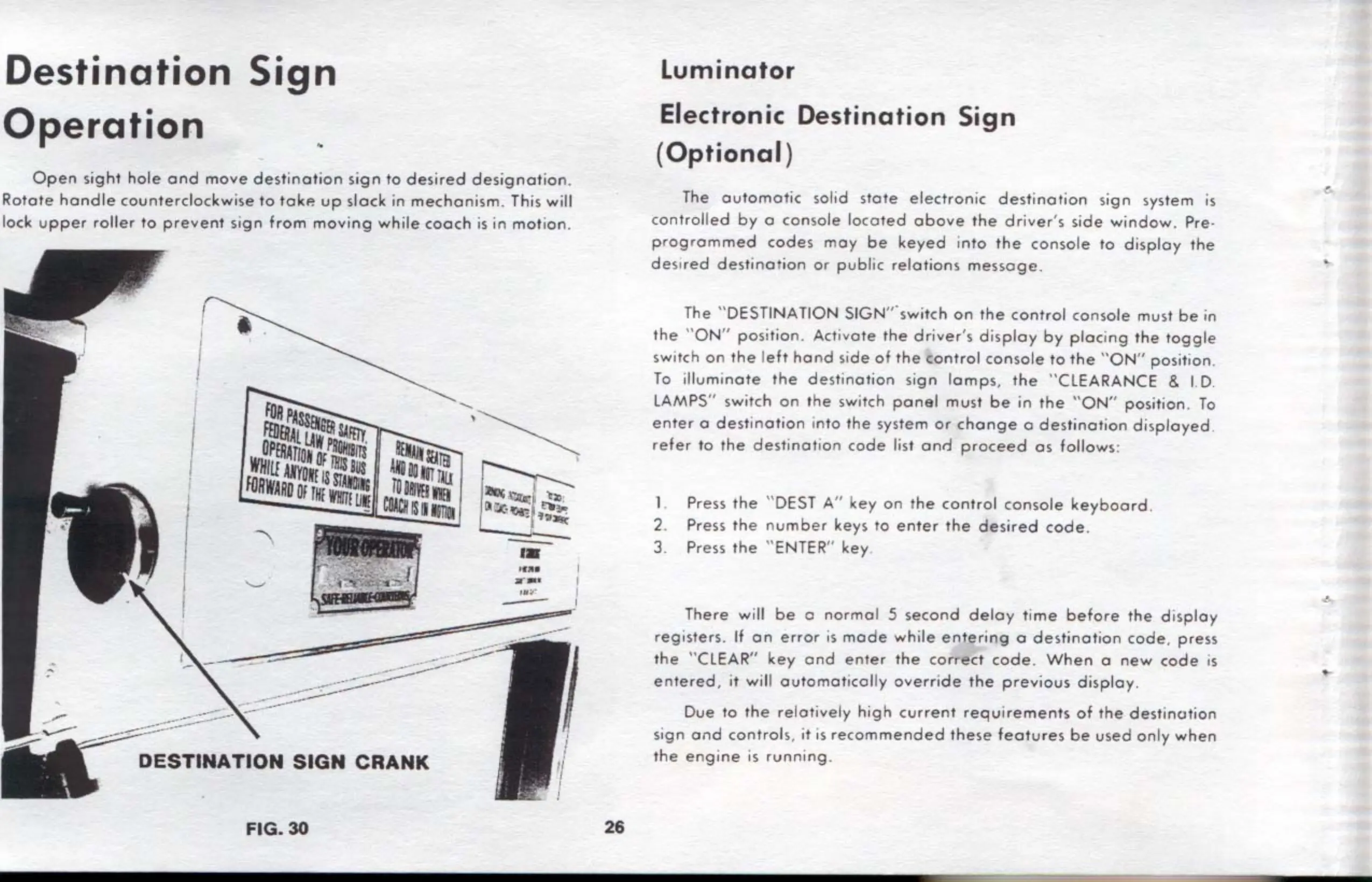
DESTINATION
SIGN
CRANK
FIG.
30
.....
'
-
::~
~"'
·
''Ill'; .
~
..
,_
-
,.
'
•••
I
--
I
J
Y
I
I
~
~
26
Luminator
Electronic
Destination
Sign
(
Optional
)
The
automatic
solid
stole
electronic
destination
s
ign
system
is
controlled
by
o
con
s
ole
loc
ated
above
the
drivers
side
window
. Pre-
pr
ogrammed
codes
moy
be
keyed
i
nto
the
conso
le to
display
the
de
s
ired
destina
tion or
publ
ic
relations
message.
The " DESTINATION SIGN
"'
swit
ch
on
the
control
co
n
sole
must
be
in
the
"
ON
"
position
. Acti
vate
the
driver's
di
splay
by
plac
i
ng
the
toggle
switch
on
the
l
eft
hand
side
of
the
control
console
to
the
"ON
" positi
on
.
To
illumi
nate
the
destination
sign
lamps
,
the
"CLEARANCE & I.
D.
LAMPS
" switch
on
the
switch
pone!
must
be
in
the
"
ON
" position.
To
enter
o des1inotion i
nto
the system
or
change
o
destination
displayed
.
refer
to rhe
destinatio
n
code
list onr.l
proceed
as
follows:
1. Press
the
"
DEST
A"
key
on
the
control
console
keyboard
.
2. Press
the
n
umber
keys ro
enter
the
desired
code
.
3. Press
the
''
ENTER
"
key
There will
be
o
norma
l 5
second
delay
time
before
the
d i
splay
registers
.
If
on
error
is
mode
while
entering
a
destination
code
,
press
the
"CLEAR"
key
ond
enter
the
correct
code
.
When
o
new
code
is
entered
,
it
will
outomoltcolly
override
the
previous
display.
Due to
the
relatively
high
current
requirements
of
the
dest
i
nation
sign
ond
controls
,
it
is
recommended
these
features
be
used
only
when
the
engine
is
running
.