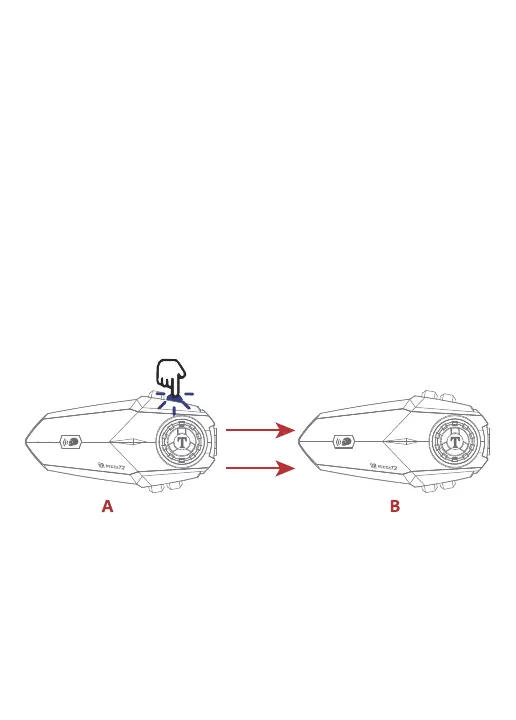
About 2 sec
Attention:
1. Headset A that initiates music sharing must be connected to cell phone
Bluetooth.
2.A and B Headsets need to be paired and connected successfully before music
sharing.
3. When sharing music, the A headset that initiates music sharing can
pause/start sharing by short pressing [multi-function button].
Music Sharing
Turn on sharing:
When two devices are on, music sharing must be done by the device that initiates
intercom in order to share to each other, such as specifying device A to share to
device B. The operation steps are as follows:
1. Device A connects to the Bluetooth of the cell phone (keep the music on and the
music is paused).
2. Pair the two devices A and B (keep the two devices in non-intercom state).
3. After successful pairing, press and hold the [volume up button] of device A for 2
seconds to turn on music sharing.The blue light flashes slowly and the voice
prompts "start sharing music ", then music sharing is successful.
Turn on sharing:
In the process of music sharing, press and hold the [Volume Up button] of device A
for 2 seconds to turn off music sharing,The blue light flashes slowly, and the voice
prompts "stop music sharing", then music sharing is off.


 To Next Page