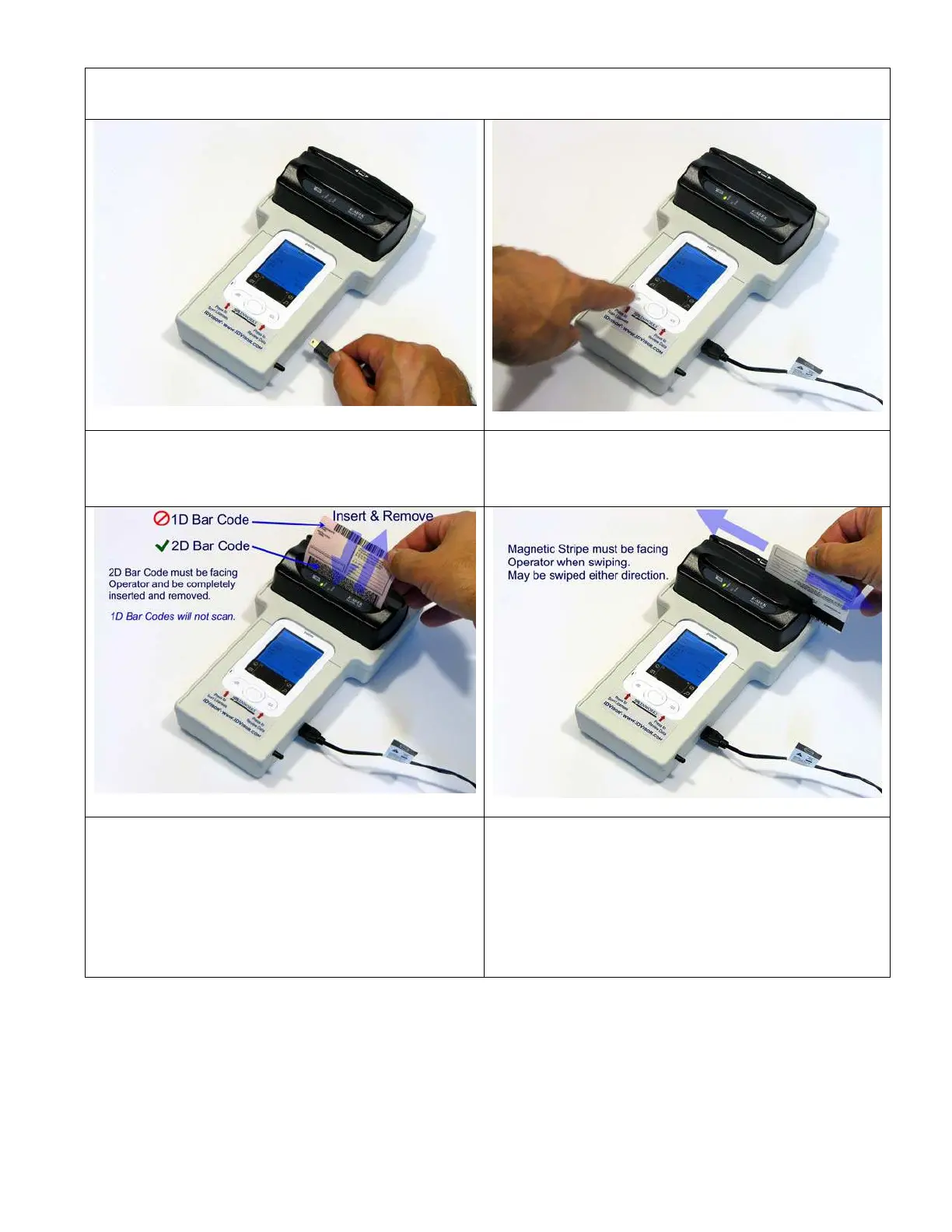
CounterTop Setup / Operation
1.) Plug in Power – listen/wait for triple beep and
Green Ready LED on Scanner
2.) Press Scan License button – listen for triple
beep and message on screen
3.) Dunk license with 2D Bar Code into bar code
reader slot until license is fully inserted. The Red
LED will start flickering and remove the license
with a smooth continuous motion. If the bar code
reader beeps the display will update. If not, see
scanning tips at end of this section.
3.) Swipe license with Magnetic Stripe facing
display in Magnetic reader slot using a smooth
continuous motion. If the reader beeps the display
will update. If not, try again from other direction.
See swiping tips at end of this section.
IDvisor Hardware Manual Page 13 of 38



 To Next Page