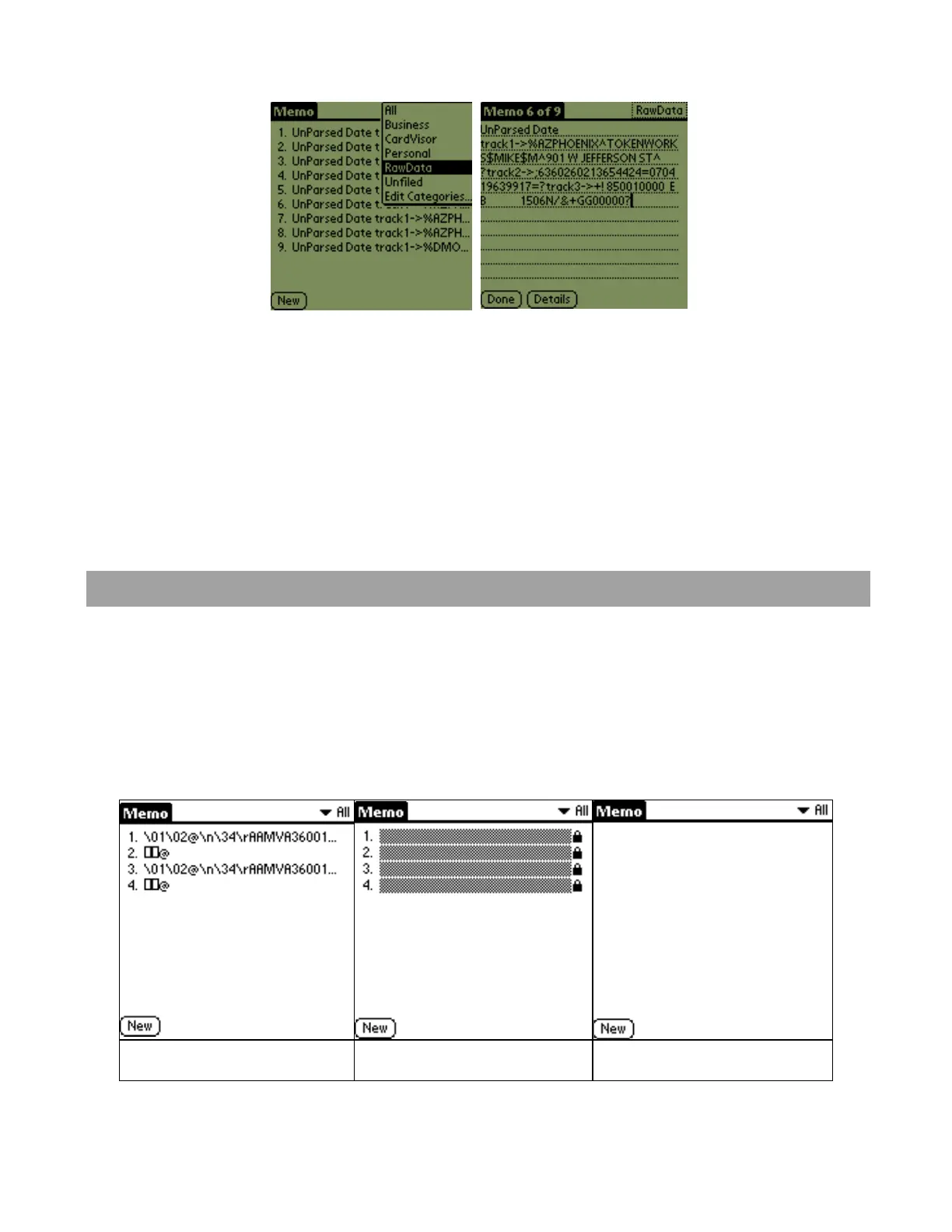
check the parsed information, provide technical feedback to TokenWorks and verify
additional fields from the driver's license..
Unparsed Data in
‘RawData’ Category
Individual Memo showing
unparsed data
Before a new Memo is stored in MemoPad, the last memo is compared to the new
pending Memo. If it is identical in every respect, including the date and time stamp,
then the new memo is not stored. If the new Memo differs in just the time, it is still
stored. This feature prevents redundant Memos for the same license swiped
repeatedly in succession.
Protecting ID Scanner Data
This feature should be used with caution as forgetting the PIN code will require
erasing all saved transaction data. Drivers License Transaction data records are
stored as Memos (in MemoPad application ) and are marked
Private by the IDvisor
software. They may be hidden or masked by entering a user selected PIN code via
the security application (old fashion key icon on home screen). Shown below is
what the transaction data stored in MemoPad look like when masked or hidden.
Transaction Data Visible Transaction Data Masked Transaction Data Hidden
To set the PIN code, select the Security Application (shown below) from the Home
screen. Then select Mask Records or Hide Records from the Current Privacy Menu.
IDvisor Hardware Manual Page 21 of 38



 To Next Page