Power
Mobile Version – Battery Issues
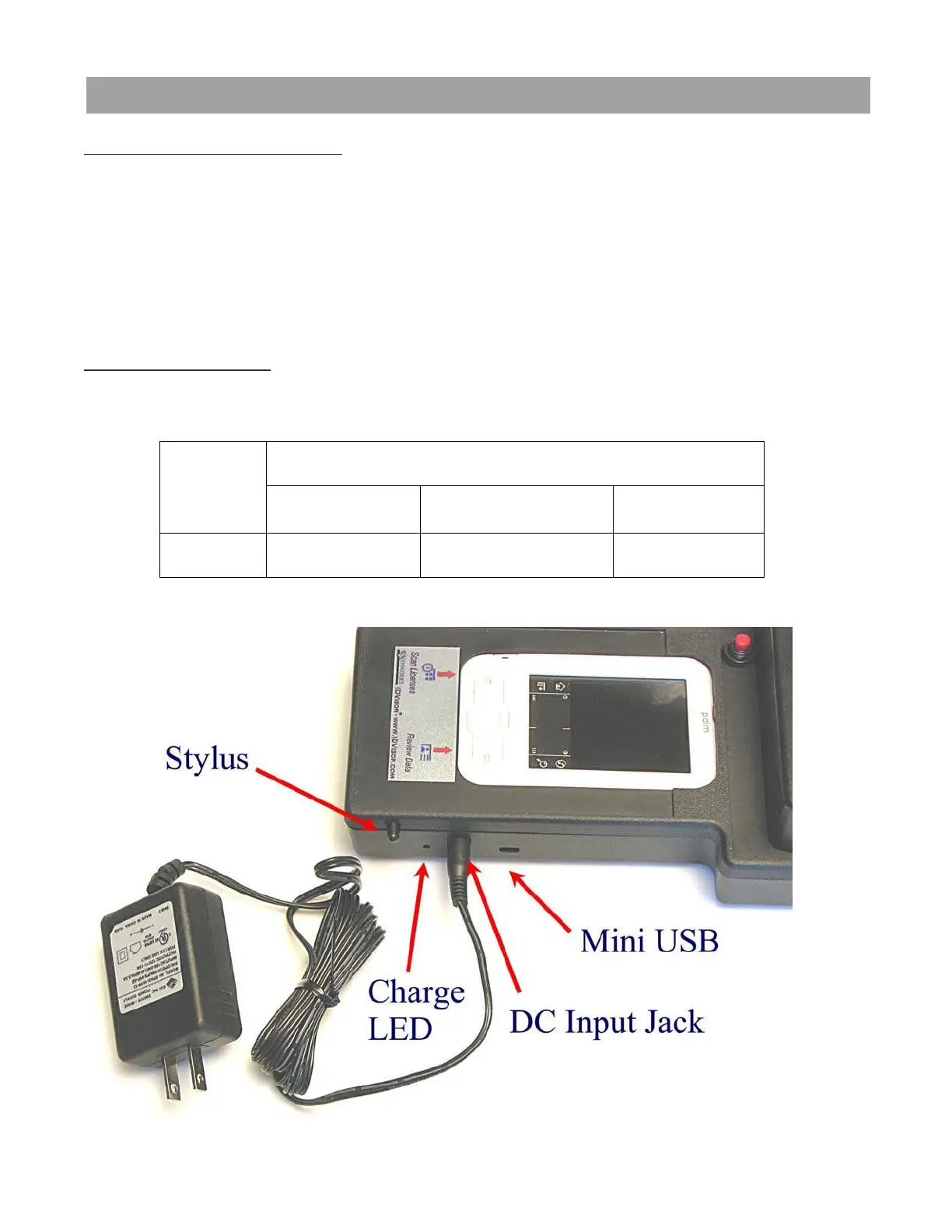
There are two batteries in the IDVisor scanner. One powers the bar code/magnetic
stripe scanner and its charge state is indicated by the LED on the side of the case.
The other battery is built into the Palm Z22 PDA and its charge state is visible at the
top of the main screen. A lightning bolt over the battery indicator means the
handheld’s battery is charging. When it is fully charged, the lightning bolt will change
to a filled battery icon.
Charging the Batteries
To charge the batteries, just plug the wall adapter into the side of the Reader Cradle
and the LED should turn red, indicating the unit is charging.
Charge LED Color (near power input jack)
Red Green Yellow
Mode Charging Charge Complete Fault
IDvisor Hardware Manual Page 8 of 38



 To Next Page