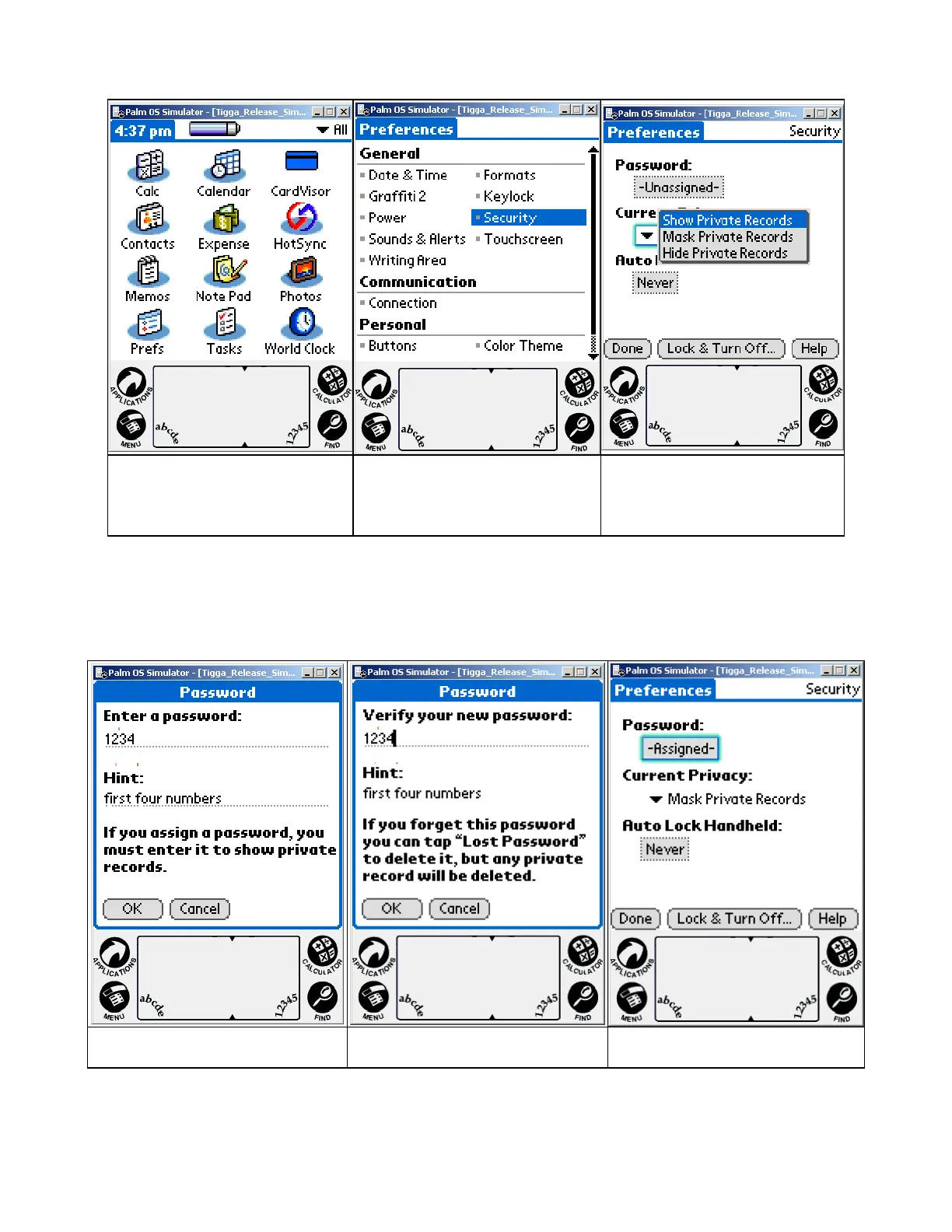
Selecting either will prompt a Password or PIN code to be entered, which must then
be confirmed.
Prefs Icon - lower left
Select Security Select Show or Mask
Note: If the PIN code or Password is forgotten, there is no way to recover it via the
standard security application. Resetting the Password will delete all the transaction
data.
Use this feature with caution.
Enter Password Confirm Password Mask Records Enabled
Note: This same PIN code can be to 'lock' the system so that turning it back on
requires the PIN code. See the Handspring User guide for using this feature. Again,
use the PIN code feature with caution as forgetting the PIN code requires a hard
reset which will erase all data in the handheld.
IDvisor Hardware Manual Page 22 of 38



 To Next Page