48
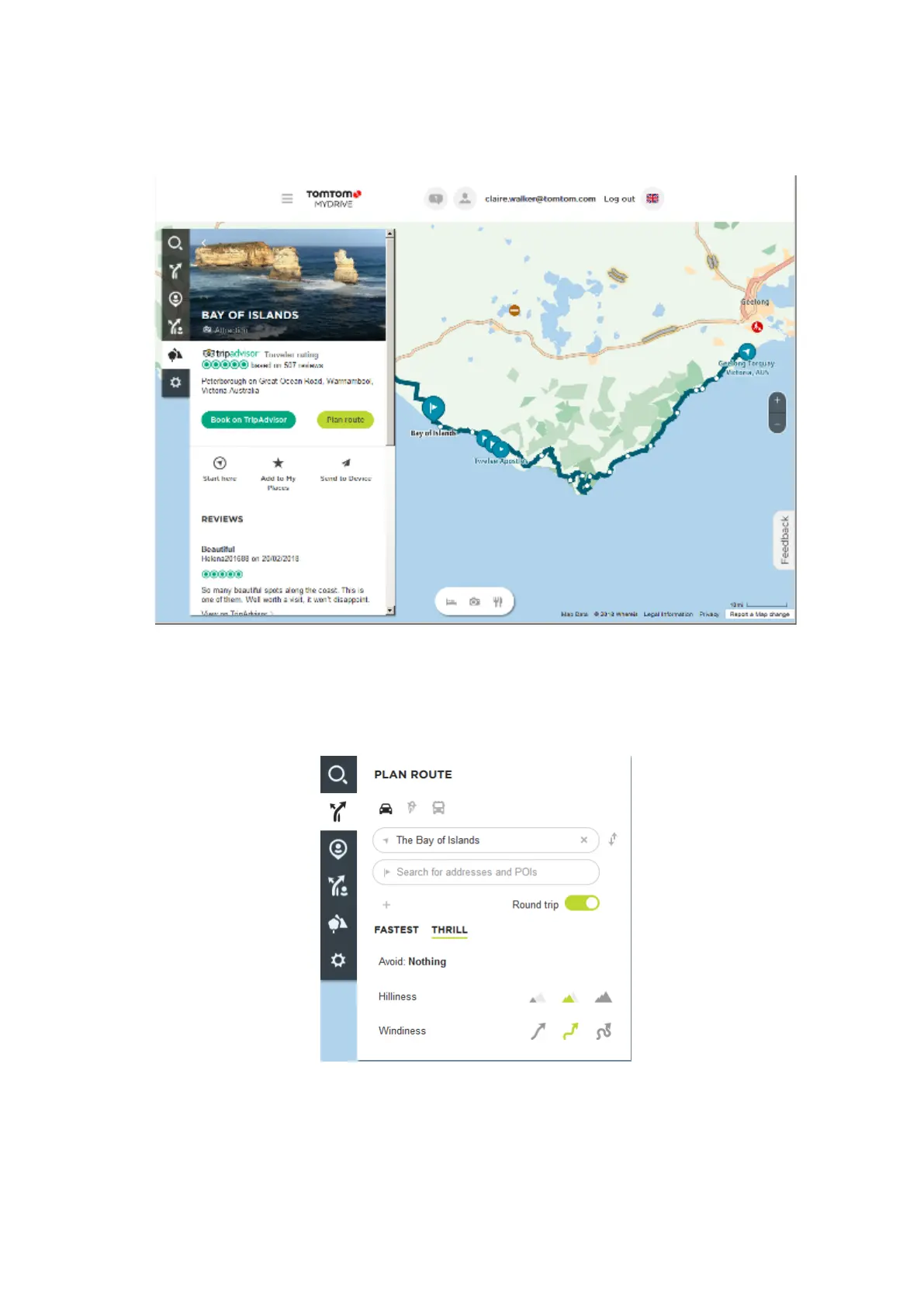
4. Click on a flag to see what is of interest at that point on the road trip. For example, you can see
the Bay of Islands flag is selected below and, if available, you are shown information and
reviews about that stop.
5. Click Start Here to start your route from this point, or Add to My Places or Send to Device.
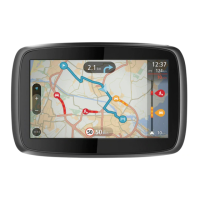
6. Click Plan route to plan a route to that stop.
You can then choose from settings including your vehicle type, fast or thrilling route etc.
Enter a POI in the search box, for example, "hotel", to search for all hotels near your chosen
stop.
7. Select your chosen POI.


 To Next Page