47
The road trip is synced to your TomTom GO Camper as soon as you are either connected to your
computer, within range of your wireless network or connected to your phone. You must be
logged in to MyDrive.
Road Trips collection - planning a route to a stop
The TomTom Road Trips collection allows you to discover the world’s most amazing routes, from
legendary coastal routes like the Great Ocean Road to classic road trips like Route 66.
Planning a route to a stop
To plan a route to an interesting stop on a road trip, do the following:
1. Log in to MyDrive at mydrive.tomtom.com
.
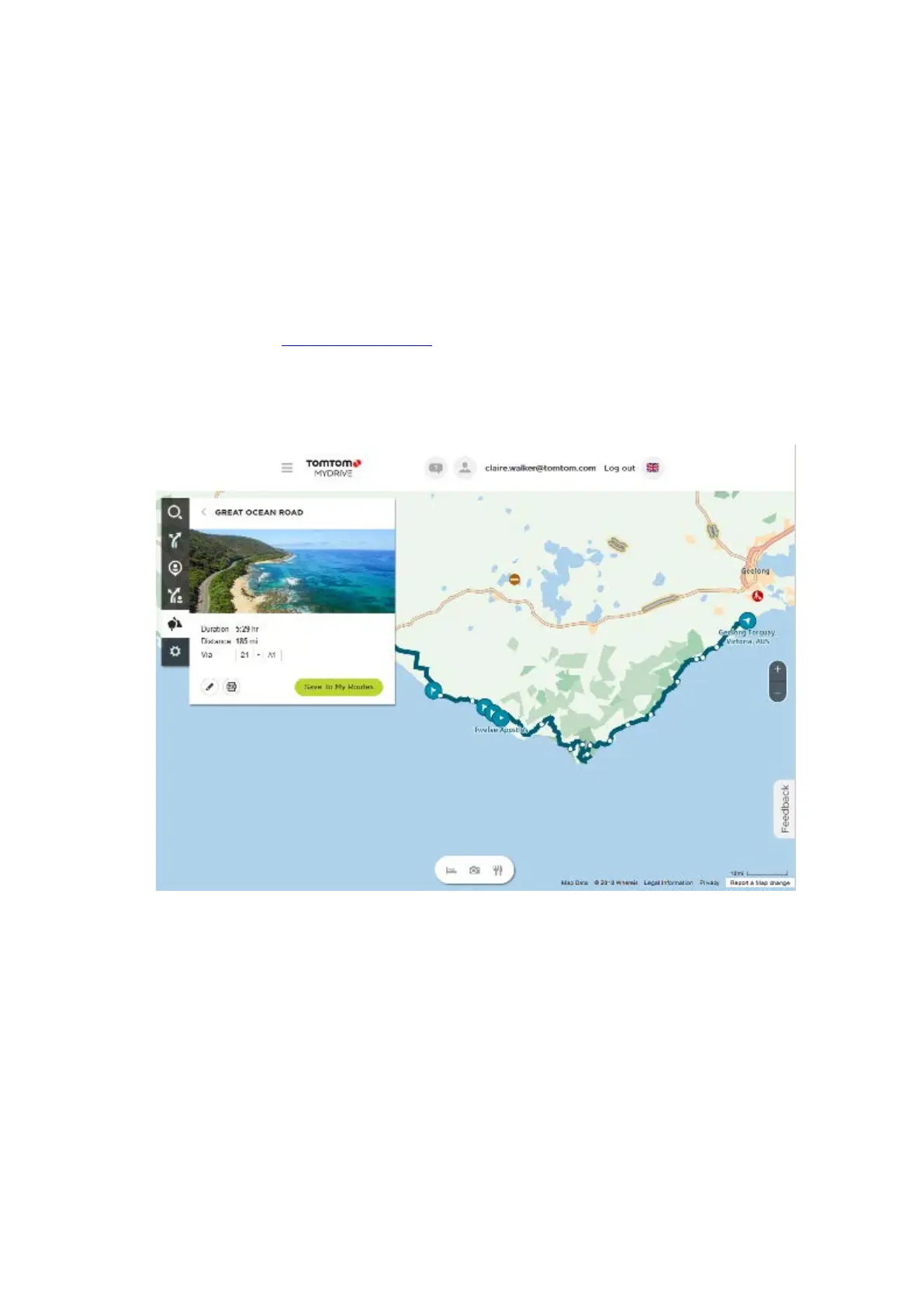
2. Click on the road trips icon on the left-hand side.
3. Click on a road trip from the list.
The route is shown on the map together with start and end points and in some cases, stops
(flags).


 To Next Page