08
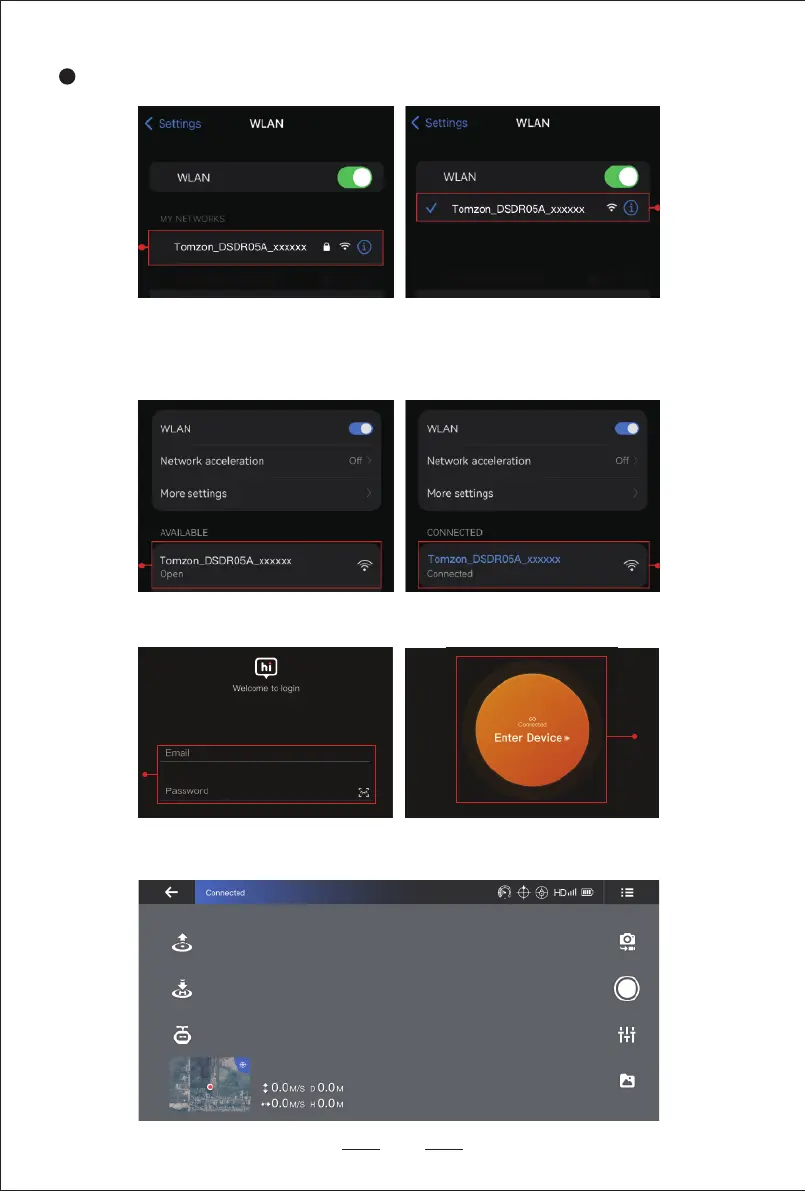
Enter the wireless settings of the mobile phone, click the WIFI name: Tomzon_DSDR05x_xxxxxx.
2
3. Open the FlyCam APP, register and log in to enter the APP main page.
4. After the connection is successful, click start to enter the APP flight interface to start your flight experience.
Enter the mobile phone WLAN settings, click to connect to the aircraft WIFI: Tomzon_DSDR05x_xxxxxx,
select in the mobile hotspot Internet network data detection prompt: Keep WLAN Connection.
2.2 Wifi connection (Android)


 To Next Page